Check the acquisition promise
Read the store headline, screenshots and description. What problem is the app promising to solve?
Study the storefront ↗
Kelly Technology Inc. · iOS
Explore the ad evidence, study the storefront, and build your next acquisition hypothesis.
01 / Creative research
Read the store headline, screenshots and description. What problem is the app promising to solve?
Study the storefront ↗Explore apps with direct store-link matches. Compare their hooks and formats without assuming the same approach works here.
Browse observed advertisers ↗Store rankings and revenue estimates describe market context. They do not establish ad spend, conversions or ROAS.
Review the market context ↗02 / Storefront & product
Study the product story and store experience behind the acquisition funnel.


03 / Market context
Keep revenue, downloads and store rankings separate from advertising performance.
I used to really like this app. It contained the latest, most useful information. That being said I’ve stopped using it because with the last update brought a new advertising feature. Now, just about everything you try to do in the app brings up an advertisement for something. Some ads are only a few seconds long, others a half a minute. Mostly harmless but extremely annoying, every time you tap to view something different, an ad pops up. I’m done with it! I’ll find some other app with the same information but less annoying ads!
I was astonished to find that the app does NOT follow its own settings...when you first set it up, you are given three choices as a setting: (1) Never use your location (2) Use your location only while using app (3) Always use your location Well, I chose (2), because I thought it only fair that an application might need your location info while you are using it, so that it runs more efficiently or better, etc. However, after I left the application - stopping it, I noticed that I still have a banner running at the top of my screen which says,”NOAA Now is Actively Using Your Location. I went to the website to the privacy information located at the bottom of the page, and was informed that the company that runs and oh AAA now does not knowingly pass your personal information on to anyone. That being said, if that is the case then why does it need to run in the background, even when you have left the application and closed it? Because what it is telling you is not actually what it does. For that reason I am uninstalling this application and sending a notice to the Better Business Bureau about the company’s misrepresentation of its product. Caveat emptor - let the buyer beware (even though this application version it’s free)
With this program you can check the weather any where in the world. It works almost instantaneously to give you either a written statement of the weather or you can look at the pretty pictures . Either way you get the latest update available for any where in the world.
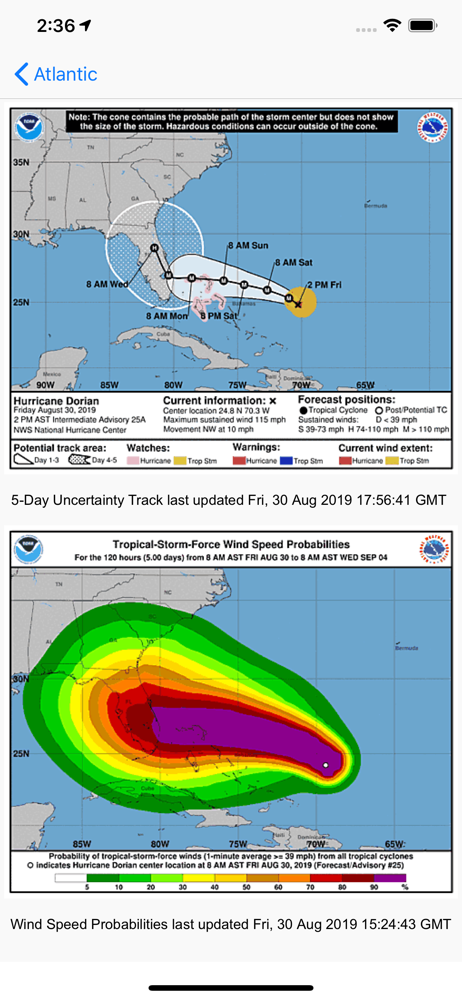
global storms provides the latest severe weather information including: - hurricanes, typhoons and tropical storms in the Atlantic and Pacific oceans...
| Name | Price | Type |
|---|---|---|
| Remove Ads (Monthly) | $0.99 | Monthly |
| Ocean Conditions Forecast | $9.99 | One-time |
| Global Tropical Hazards | $9.99 | One-time |