Check the acquisition promise
Read the store headline, screenshots and description. What problem is the app promising to solve?
Study the storefront ↗
Mireo · iOS
Explore the ad evidence, study the storefront, and build your next acquisition hypothesis.
01 / Creative research
Read the store headline, screenshots and description. What problem is the app promising to solve?
Study the storefront ↗Explore apps with direct store-link matches. Compare their hooks and formats without assuming the same approach works here.
Browse observed advertisers ↗Store rankings and revenue estimates describe market context. They do not establish ad spend, conversions or ROAS.
Review the market context ↗02 / Storefront & product
Study the product story and store experience behind the acquisition funnel.



03 / Market context
Keep revenue, downloads and store rankings separate from advertising performance.
This so-called “GPS” is the worst thing ever! It is, in fact, the exact opposite of a GPS. When someone puts in a destination, it is expected that the program will take them there in a reasonably quick and direct way. It is expected that directions for turns, exits, etc. will be given unambiguously and in plenty of time for the driver to take appropriate action. My experience with this piece of trash shows that whoever wrote the app did not have any of the above in mind. Turns are announced after it is too late to move into the proper lane, causing you to miss the turn and need to be rerouted. Directions are ambiguous at best. This morning I followed the directions exactly and ended up going the wrong direction on a freeway off-ramp!!! I could have been killed because of this thing!!! Then, when I was navigating to somewhere that I somewhat knew where to go near the end of the route, the directions literally took me in the opposite direction from where I had to go. DO NOT WASTE YOUR TIME AND MONEY WITH THIS APP. I REALLY WISH I HADNT.
My primary use for GPS is for traffic monitoring, not directions. Genius maps does a good job of displaying the traffic and letting me scroll ahead. I would prefer if it would let me zoom out a little further while still showing the traffic and if it would remember my settings. However, it still workable.
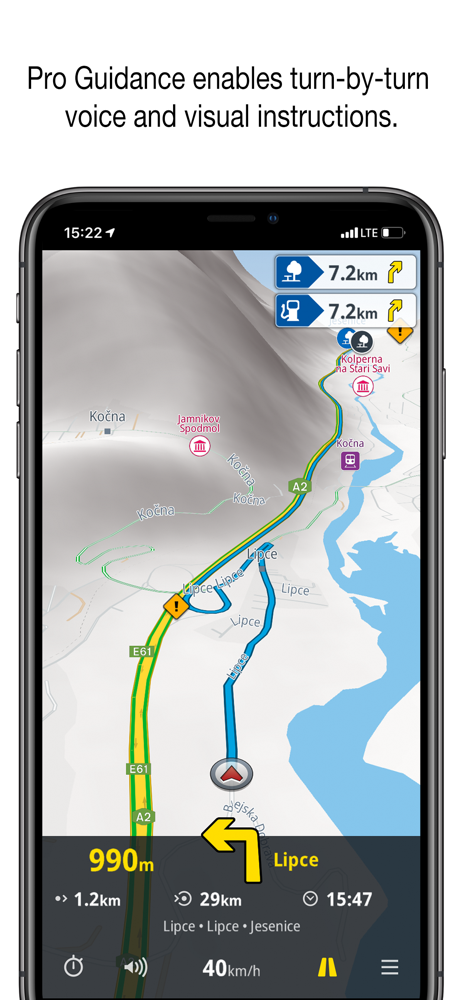
I notice since the last few updates that the pro guidance sometimes tell me to exit the highway only to immediately tells me to get back on the highway again. The voice has trouble with many street names having to spell the names instead of speaking them. I want to see a button on the main map that allows me to quickly change route options such as “avoid toll roads” instead of having to go through a lot of menus to do this. I do like the pro guidance correctly telling which lane to be in to keep the correct route.
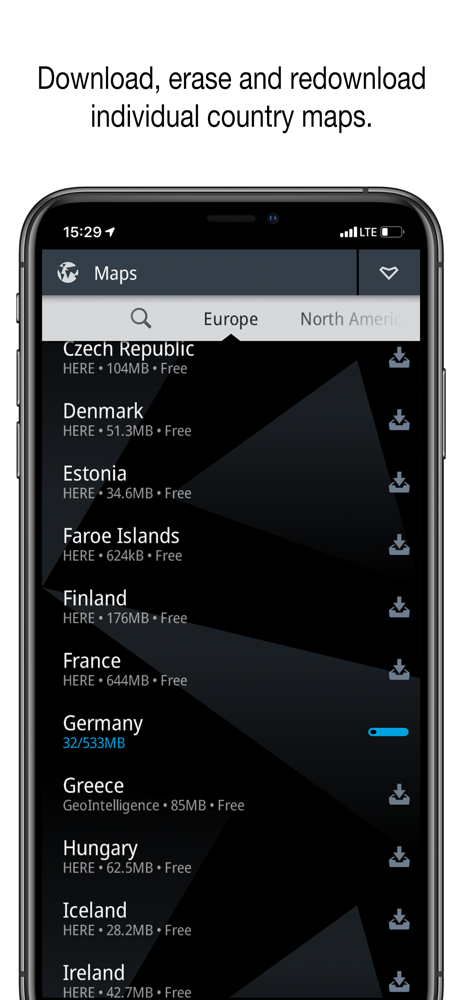
PREMIUM OFFLINE GPS NAVIGATION WITH FREE MAPS AND POI Genius Maps is a free application that installs on your iPhone and iPad. It's an offline route...
| Name | Price | Type |
|---|---|---|
| USA NAVTEQ Safety Cameras 2016.7 v.2 | $2.99 | One-time |
| Doug Benson Recorded Voice 2012.9 v.2 | $4.99 | One-time |
| North America NAVTEQ Live Traffic 2015.12 v.1 | $12.99 | One-time |
| Europe NAVTEQ Live Traffic 2015.12 v.1 | $12.99 | One-time |
| North America Nav for Weblink | $24.99 | One-time |
| North America NAVTEQ Navigation 2013.9 v.1 | $39.99 | One-time |
| North America Mireo Car Connectivity 2016.7 v.1 | $44.99 | One-time |
| Europe NAVTEQ, Mireo, GeoIntelligence Navigation 2014.6 v.1 | $49.99 | One-time |
| North America Navigation Pack | $49.99 | One-time |
| Europe Navigation Pack | $54.99 | One-time |