
Check the acquisition promise
Read the store headline, screenshots and description. What problem is the app promising to solve?
Study the storefront ↗
Free Notes AI Note Taker LTD · iOS
Explore the ad evidence, study the storefront, and build your next acquisition hypothesis.
01 / Creative research
Read the store headline, screenshots and description. What problem is the app promising to solve?
Study the storefront ↗Explore apps with direct store-link matches. Compare their hooks and formats without assuming the same approach works here.
Browse observed advertisers ↗Store rankings and revenue estimates describe market context. They do not establish ad spend, conversions or ROAS.
Review the market context ↗02 / Storefront & product
Study the product story and store experience behind the acquisition funnel.

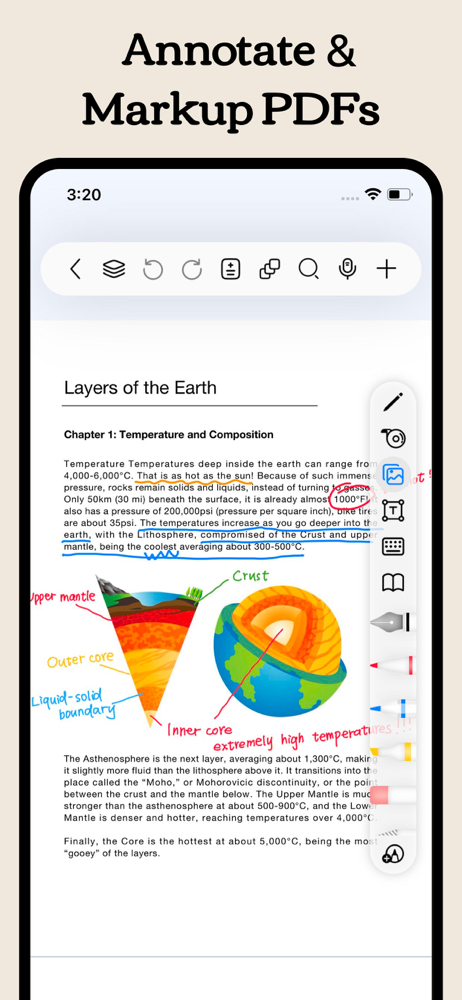


03 / Market context
Keep revenue, downloads and store rankings separate from advertising performance.
I’ve been using Freenotes for more than a year now and it is my favorite app for note taking. The fancy tablet journal in the old Disney movie Read It and Weep was all I wanted as a kid & this was the closest thing I’ve ever found! But the paywalls, ads, and now the disheartening introduction of AI has left me frustrated and disappointed. The ads began and were annoying but tolerable, then there was a set limit to how many notes you could have. I would continue using the app with these restrictions & wouldn’t mind much, except that the notes limit INCLUDES DELETIONS. 35 max, not just 35 you can keep in your library, 35 that you are allowed to create EVER before you have to start paying a subscription. As someone who uses this app for a wide variety of creative projects, I’d consider paying a one time fee like a program like Procreate asks for, but a subscription feels like a kick in the teeth for an app that was free to use with unlimited notes about a year ago. Everything going the way of subscriptions and AI seems par for the course these days and I find it really disappointing that FREEnotes joined the bandwagon. Definitely isn’t free anymore, at least not for dedicated long-term users. It’s time for me to transfer my creative projects out of the app & begin looking elsewhere.
I recently got an iPad and have been exploring various apps for taking notes. While many apps offer free downloads, I found that most of them limit functionality significantly, often pushing for in-app purchases to unlock essential features. However, I was pleasantly surprised by FreeNotes. Unlike many alternatives, it provides a comprehensive set of features entirely for free! The app's user experience is smooth, intuitive, and easy to navigate, making it a joy to use for everything from quick jotting to more detailed note-taking. I especially appreciate its clean and well-organized notebooks, which keep everything neat and accessible. FreeNotes supports a wide range of note formats without the need for expensive upgrades. Overall, it’s one of the best note-taking apps I’ve found on the iPad—simple, functional, and completely free of the typical paywall restrictions. If you're looking for a versatile, no-cost solution for your note-taking needs, FreeNotes is definitely worth checking out!
Love the app, thank you so much for making this app and not requiring fees for any features. The best thing about FreeNotes is that it’s free to use, not having to worry about limited amounts of notebooks and features. I’ve been having to switch between Noteful and CollaNote to take notes, since CollaNotes tools aren’t as nice as the tools in Noteful, and there was limited notebooks in Noteful. Now I can finally use this app for everything, thank goodness. The features are also The design of the user interface is very nice and clean (very neat), great job on the design. I was so surprised when I first double tapped with 2 fingers and it does the undo for me automatically! Love this feature since very few note taking apps have this feature, and I rely on this so much for undoing. ***The only criticism I have is the “Fitting Figure” feature. This feature does not work very well. Sometimes when I draw squares, it snaps in to circles instead. Other times when I draw squares, it does not snap into perfect squares at all, so this feature works like 50% of the time for me. Also, it would be nice if there’s an option to resize the “snapped squares” manually with lasso tool so that the dimensions/sides of the squares can be manipulated into rectangles like in Noteful
Freenotes: Freedom to write, organize, and shine Transform your iPad into a powerful AI-driven digital notepad. Freenotes is an all-in-one workspace...
| Name | Price | Type |
|---|---|---|
| Freenotes Weekly Plus Member | $1.99 | Weekly |
| Freenotes Weekly Pro Member | $6.99 | Weekly |
| Freenotes Yearly Plus Member | $9.99 | Yearly |
| Freenotes Yearly Plus Member | $9.99 | Yearly |
| Freenotes Yearly Plus Member | $9.99 | Yearly |
| Freenotes Remove Ads | $29.99 | One-time |
| Freenotes Plus Member Lifetime | $29.99 | One-time |
| Yearly Pro Member Discount | $39.99 | Yearly |
| Freenotes Yearly Pro Member | $39.99 | Yearly |
| Yearly Pro Member Discount | $39.99 | Yearly |


