
Check the acquisition promise
Read the store headline, screenshots and description. What problem is the app promising to solve?
Study the storefront ↗
Ali Dinc · iOS
Explore the ad evidence, study the storefront, and build your next acquisition hypothesis.
01 / Creative research
Read the store headline, screenshots and description. What problem is the app promising to solve?
Study the storefront ↗Explore apps with direct store-link matches. Compare their hooks and formats without assuming the same approach works here.
Browse observed advertisers ↗Store rankings and revenue estimates describe market context. They do not establish ad spend, conversions or ROAS.
Review the market context ↗02 / Storefront & product
Study the product story and store experience behind the acquisition funnel.



03 / Market context
Keep revenue, downloads and store rankings separate from advertising performance.
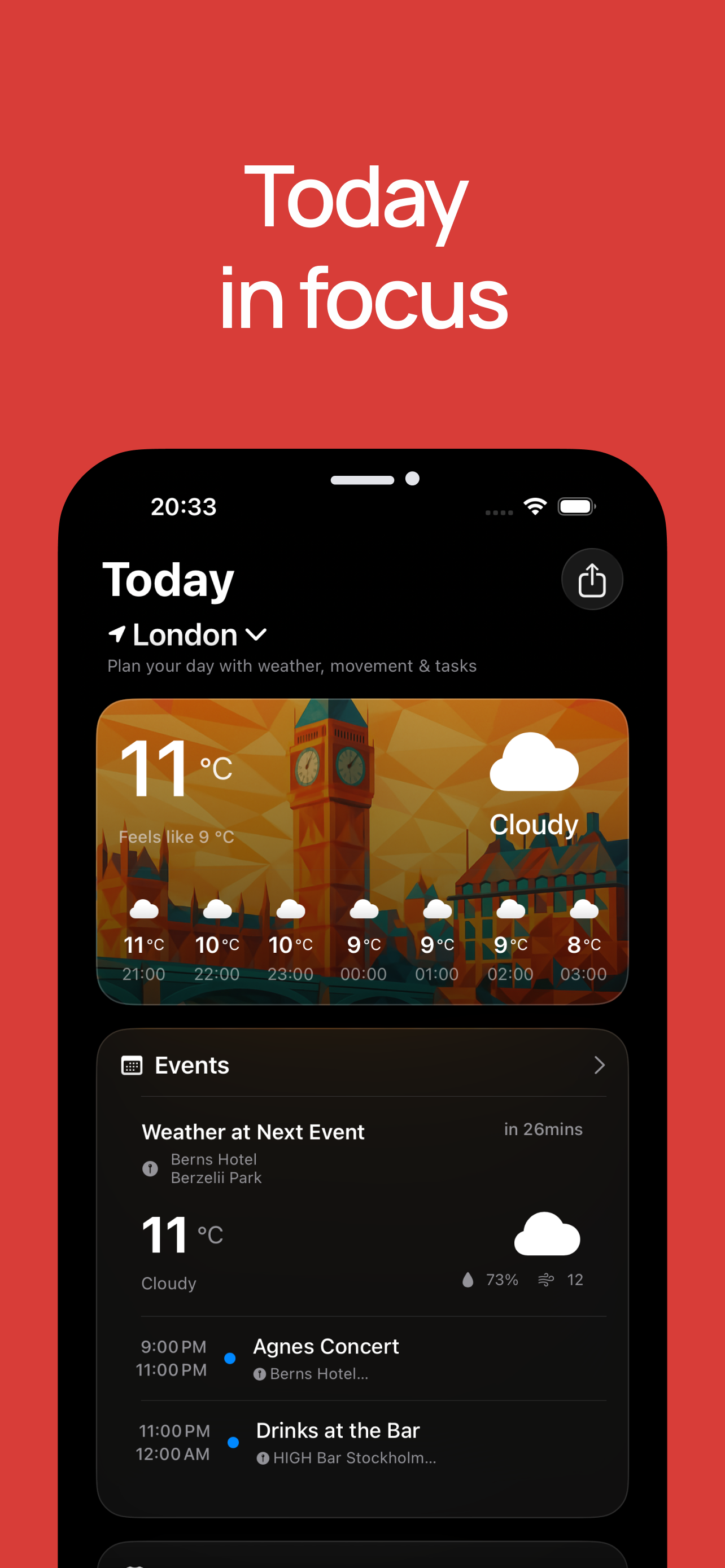
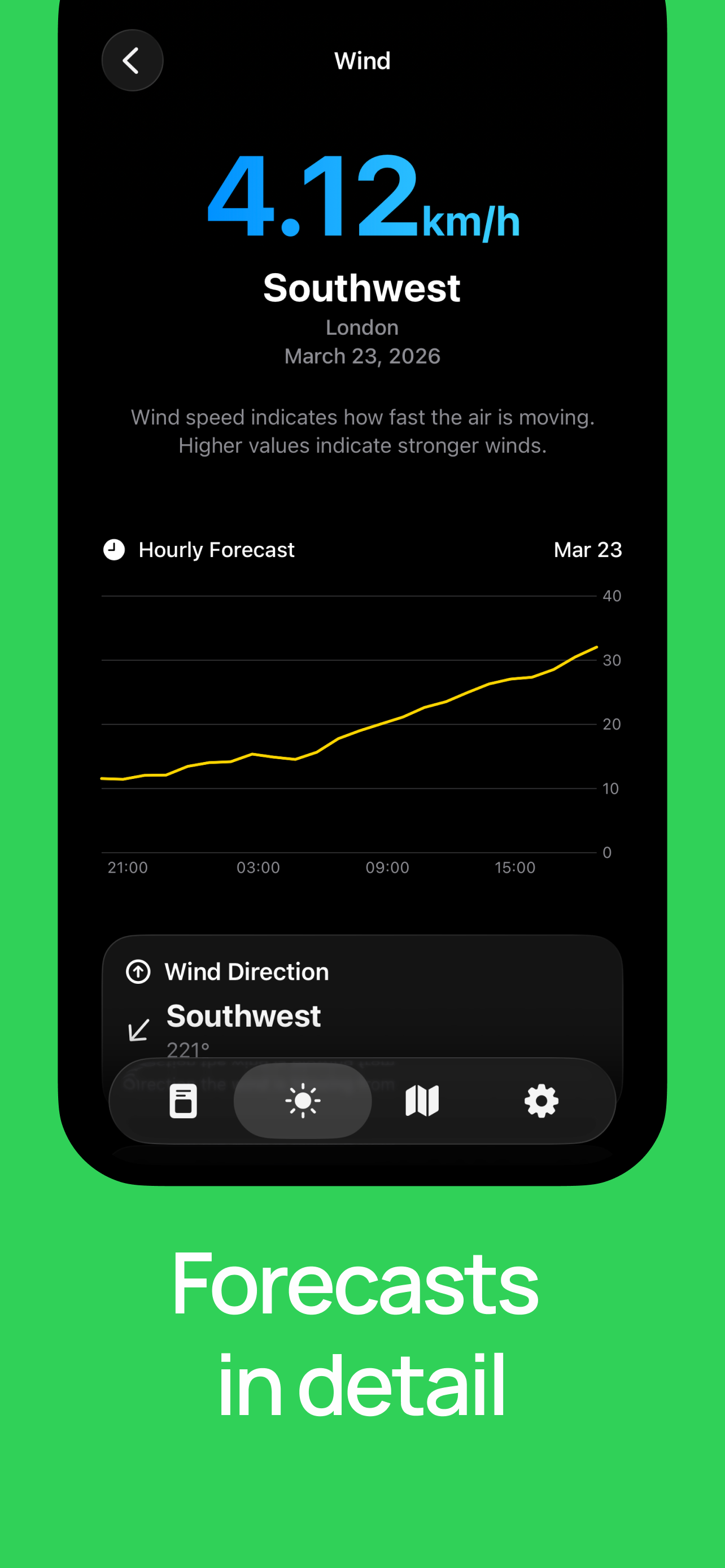
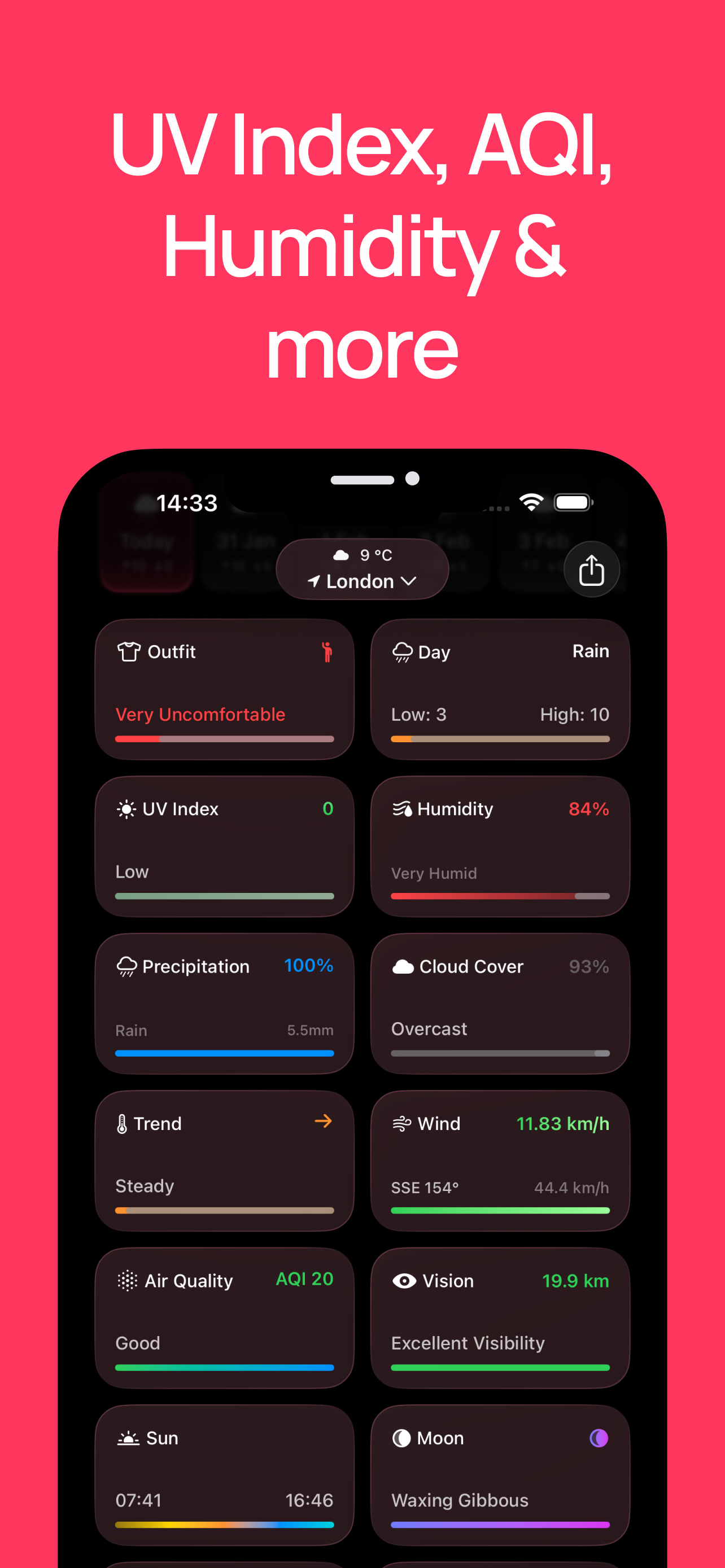
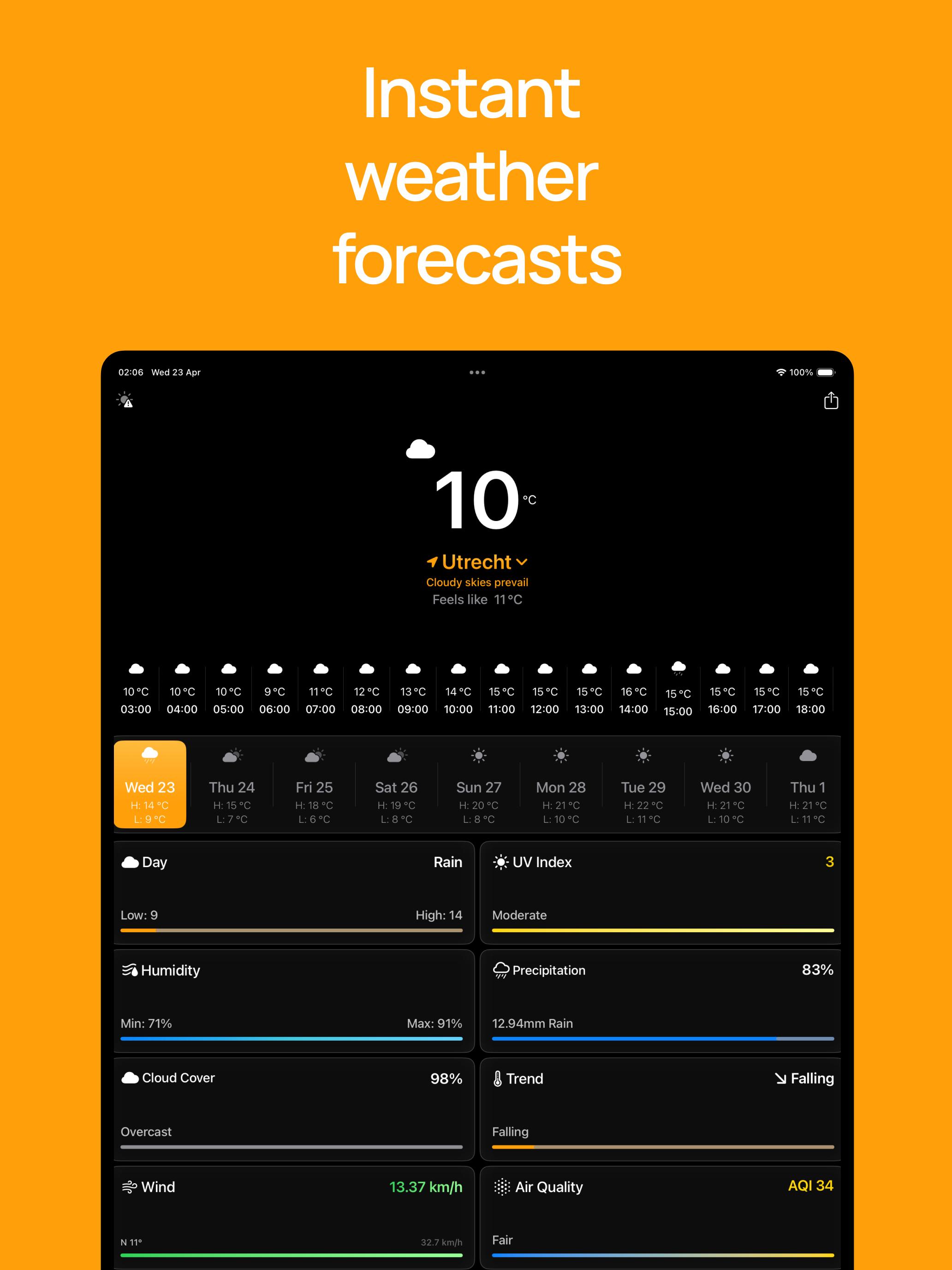
Forecasts is a really great weather app. While the design is minimalist, it doesn't skimp on information... It still provides a ton of info, it is just presented in a very clean, organized interface. You then have the option to tap into an item, for example precipitation, to see additional details. This is a nice approach as many weather apps try to put too much info on the screen at one time and it becomes cluttered and confusing. I should also mention that the widgets are very nicely designed and offer some unique looks not found in other weather apps, of which I have tried and own many. If you like the app but are looking for some additional customization options such as an ability to rearrange the different item "cards" on the main screen or to turn them on/off to only show what's important to you, that ability is there once purchased or subscribe. The developer has been active in improving the app so hopefully we'll see continued improvement and even more capabilities! Definitely give it a try!
Forecasts (the app) provides a lot of weather information in a compact format, through a free and a premium level. While much of the information in Forecasts is also in the standard iOS Weather app, Forecasts shows more than a dozen variables in the space of a screen without the need to scroll as far as Weather requires and provides additional information such as cloud cover, marine data, soil surface temperature & moisture and others. Like Weather, more detailed data is available after tapping through the data panel (e.g., humidity, UV), but it would be great to show these trends graphically on the home screen without having to tap through and such a presentation would be consistent with the app’s focus on displaying a lot of weather information efficiently. The app is useful without the premium subscription, however, the upgrade provides additional widgets as well as access to additional background and layout styles. Looking forward to seeing what the developer adds with updates.
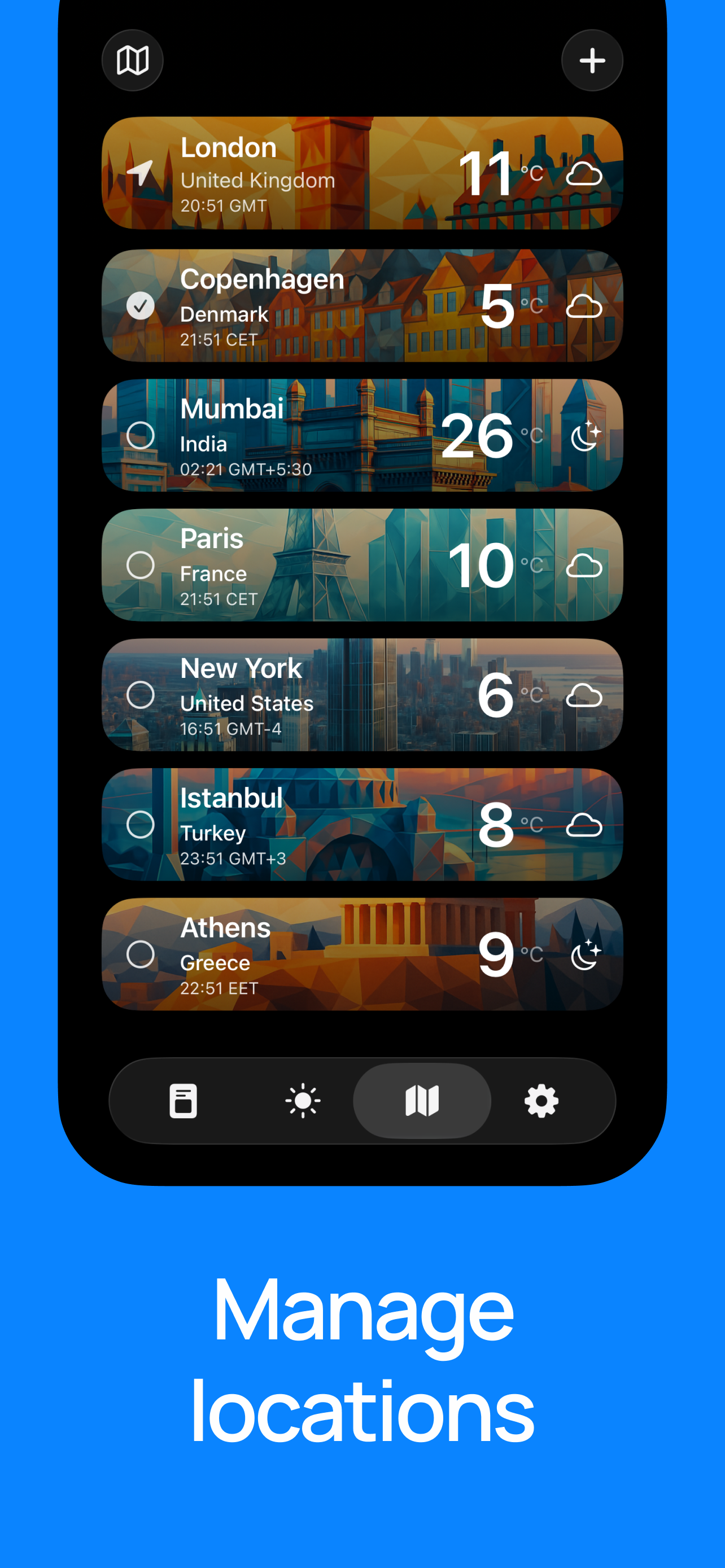
Forecasts as an app stands out for its simplicity and clean design. It provided me with all the essential information without any clutter getting in the way. The Home Screen has all the information at one place. The interactive radar is very detailed as well. The customizability of the app is also good even though most of it is locked behind a paywall. But you get a lifetime option, which is quite hard to find in weather apps these days. If you want a minimal but a beautiful weather app that just works, I recommend Forecasts!
Stay ahead of the elements with Forecasts, your ultimate weather companion! Designed for accuracy and ease of use, Forecasts delivers up-to-the-minute...
| Name | Price | Type |
|---|---|---|
| Weekly | $3.99 | Weekly |
| Monthly | $14.99 | Monthly |
| Yearly | $29.99 | Yearly |
| Lifetime Purchase | $39.99 | One-time |
| Lifetime | $39.99 | One-time |

