Check the acquisition promise
Read the store headline, screenshots and description. What problem is the app promising to solve?
Study the storefront ↗
贤安 陈 · iOS
Explore the ad evidence, study the storefront, and build your next acquisition hypothesis.
01 / Creative research
Read the store headline, screenshots and description. What problem is the app promising to solve?
Study the storefront ↗Explore apps with direct store-link matches. Compare their hooks and formats without assuming the same approach works here.
Browse observed advertisers ↗Store rankings and revenue estimates describe market context. They do not establish ad spend, conversions or ROAS.
Review the market context ↗02 / Storefront & product
Study the product story and store experience behind the acquisition funnel.




03 / Market context
Keep revenue, downloads and store rankings separate from advertising performance.
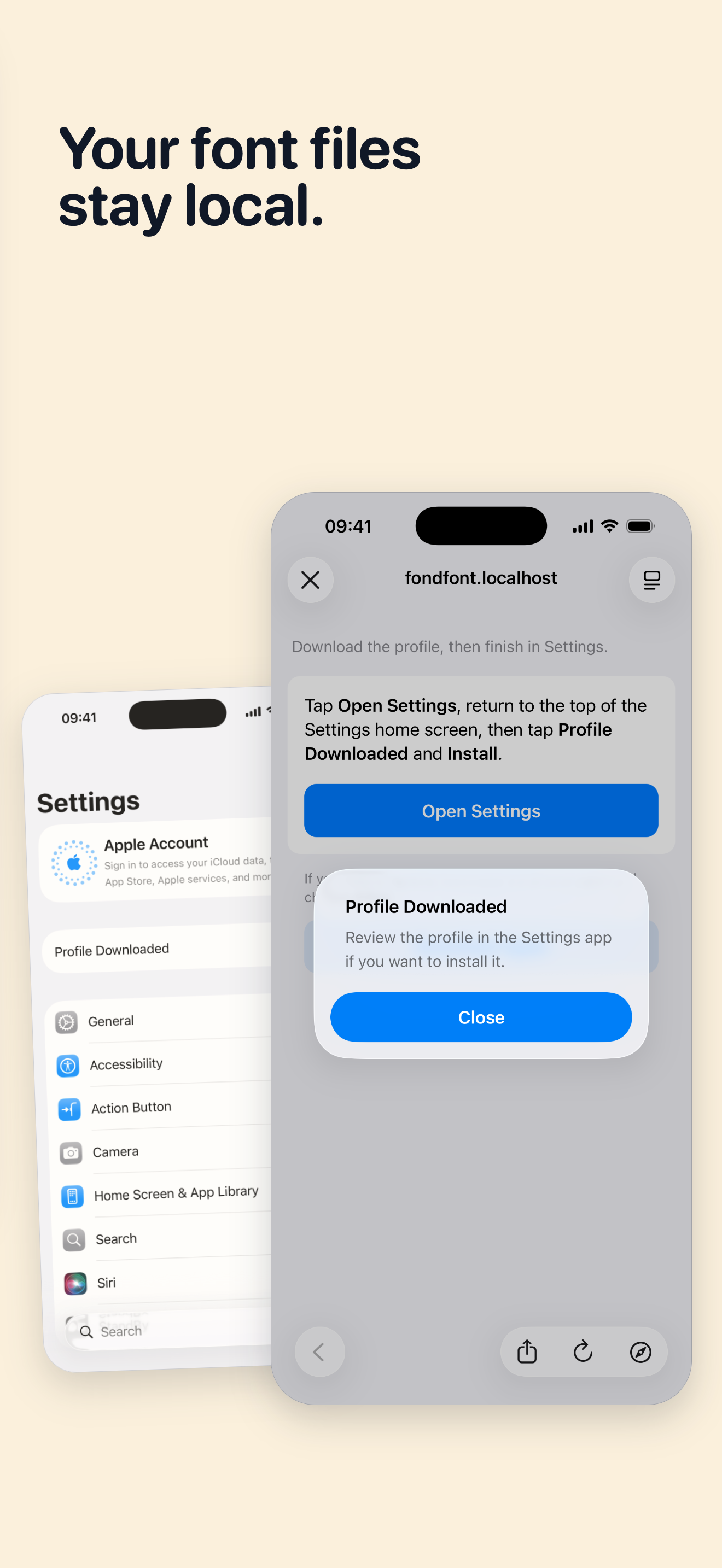
FondFont makes actual font installation on iPad actually possible. For that, it gets 4 stars. The usual possibilities for font installation are confined to the Apple walled garden. With FondFont, you *can* install your own fonts. This said, the process is quite a kludge. You must be patient with larger fonts (+1mb), as the process requires FondFont to send a font to the OS boxed up as a configuration file, then go through the labourous iPad/iOS password process. This is generally good, as it ensures some security for these configs. But it may need several tries to get the font accepted, as iOS doesn’t leave much time for the package to wait for your ok. Have the “VPN & Device” section of “General” in Settings open as you install fonts. Just try a few times. If the font is good, you can get it done, even for very large fonts. Thank you to the dev who maintains this project. 多謝。
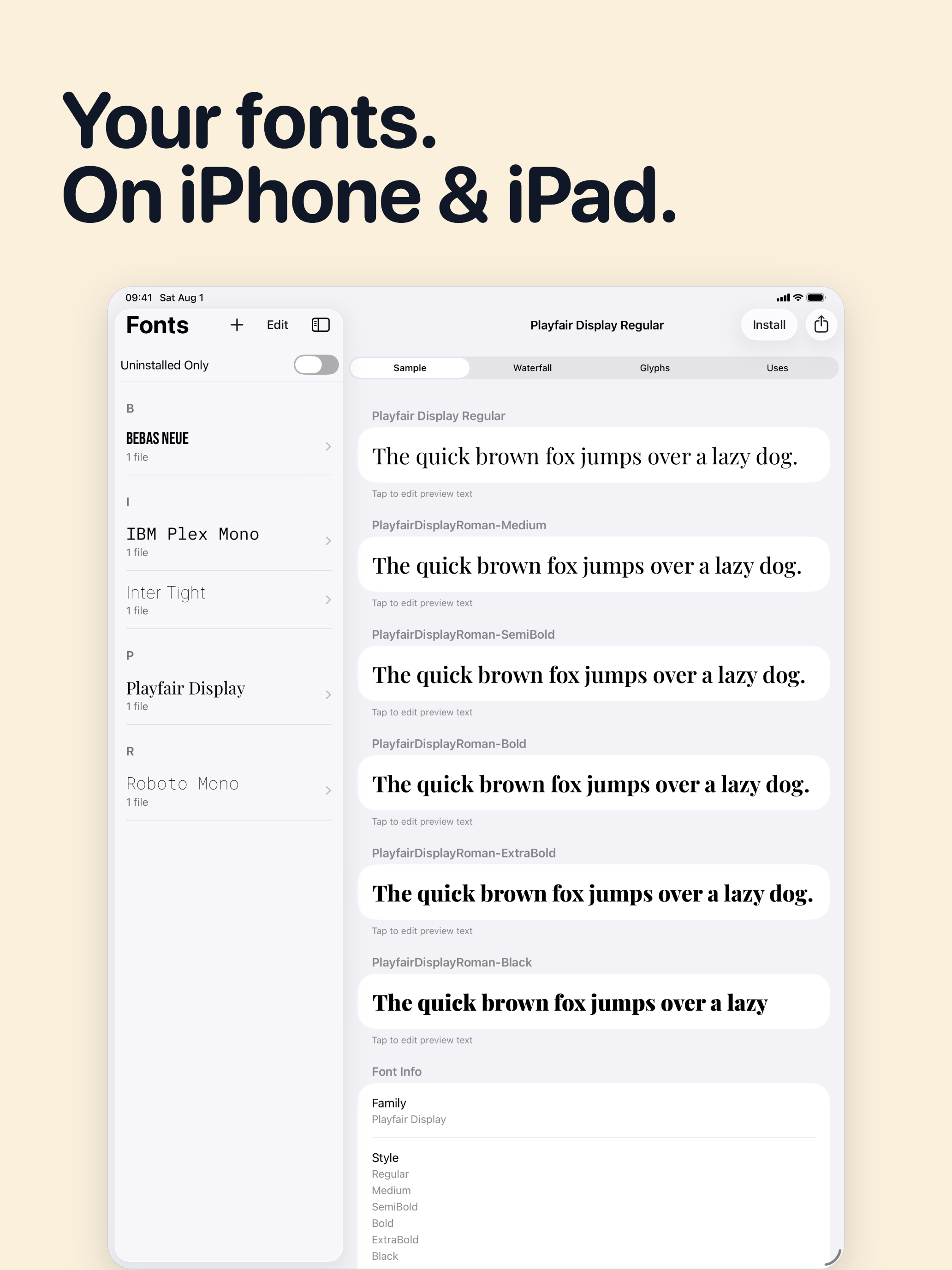
This app needs some instructions! Fortunately found a site that showed me how to do this... 1) airdrop a .ttf or .otf file onto my iPAD, 2) select “FondFont” to open it with, and it adds it to the FondFont, library. 3) select each font you want and hit “install”, it will launch some dialogue windows that you have to allow and then close. 4) Go to Settings, General, Profiles, select the font, then install and follow dialogue windows.
There is nothing happen, cannot see any font at all. Can you fix that?
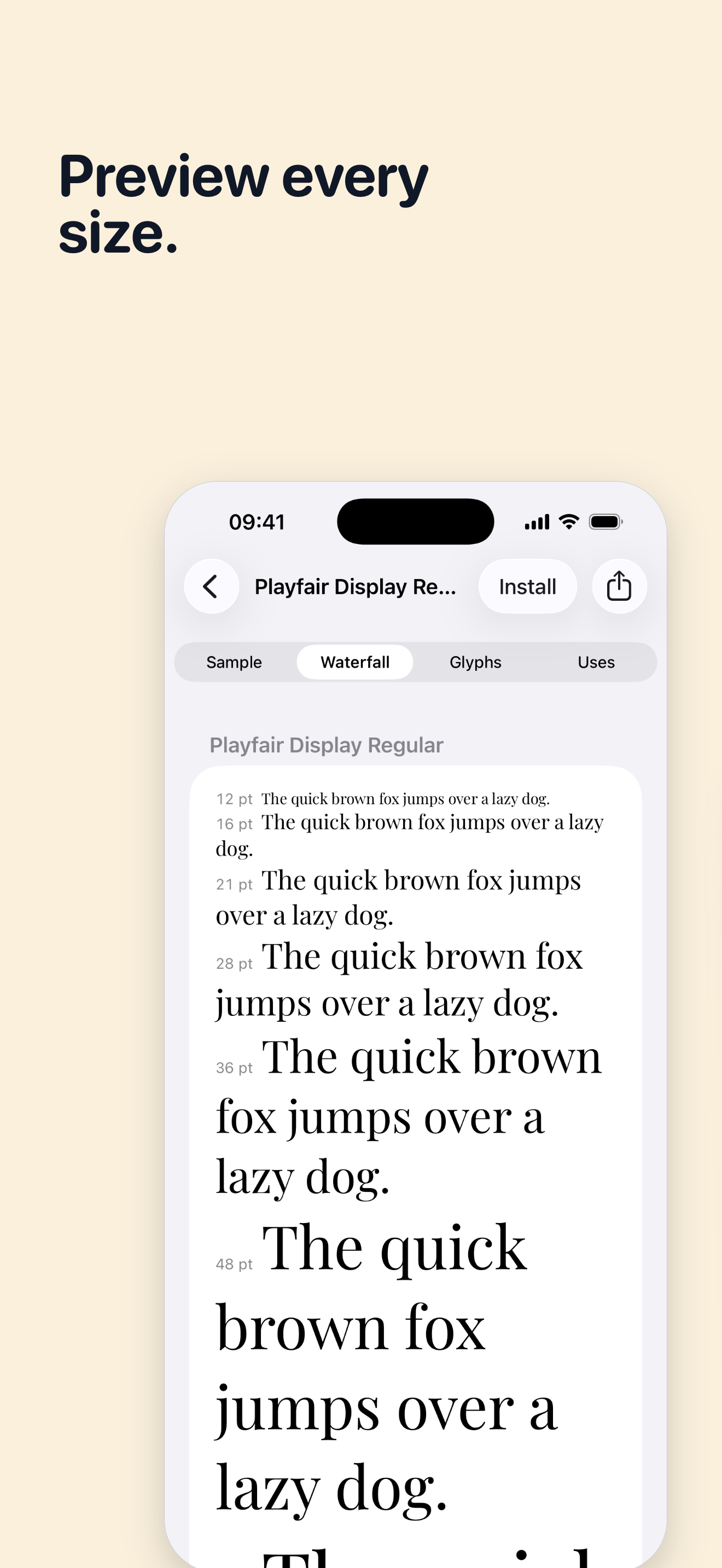
Found the perfect font, but can’t use it in your iPhone or iPad documents? FondFont lets you install fonts you own on iPhone and iPad for apps that su...