Check the acquisition promise
Read the store headline, screenshots and description. What problem is the app promising to solve?
Study the storefront ↗
Lemondo Entertainment · iOS
Explore the ad evidence, study the storefront, and build your next acquisition hypothesis.
01 / Creative research
Read the store headline, screenshots and description. What problem is the app promising to solve?
Study the storefront ↗Explore apps with direct store-link matches. Compare their hooks and formats without assuming the same approach works here.
Browse observed advertisers ↗Store rankings and revenue estimates describe market context. They do not establish ad spend, conversions or ROAS.
Review the market context ↗02 / Storefront & product
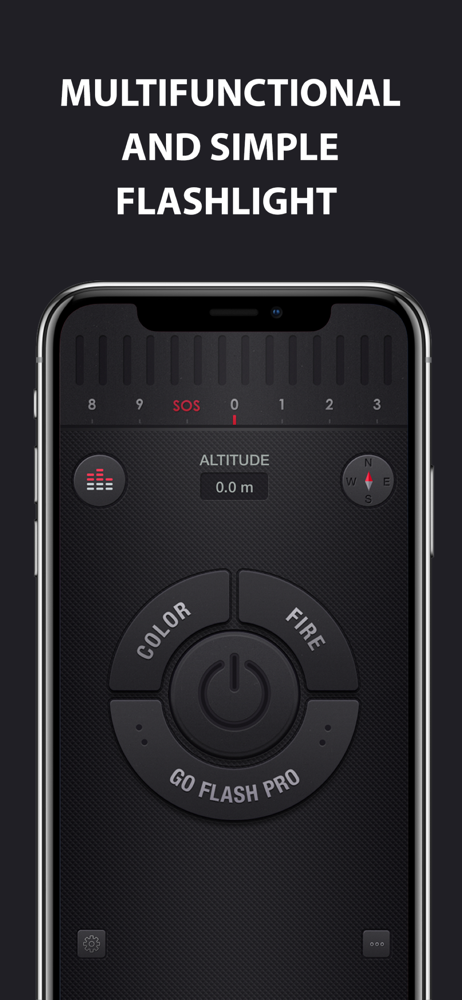
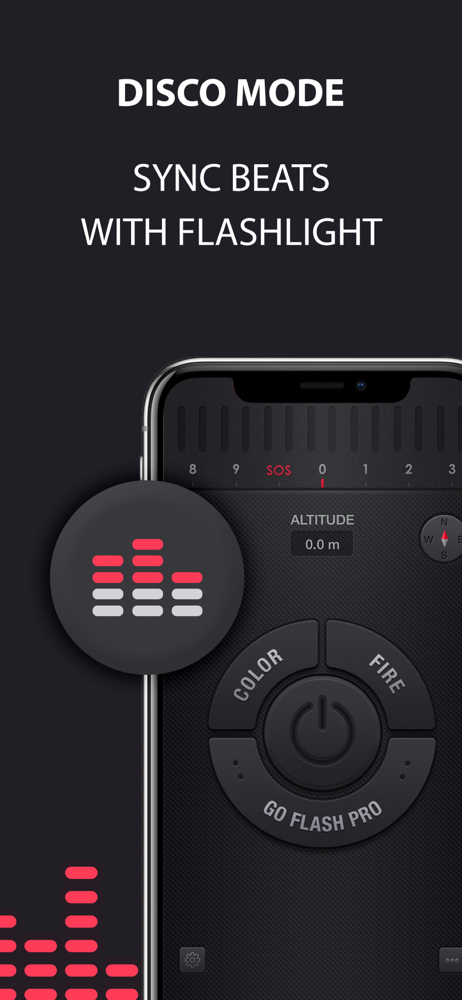
Study the product story and store experience behind the acquisition funnel.




03 / Market context
Keep revenue, downloads and store rankings separate from advertising performance.
Fewer clicks to get to than the built in one. Works great and the ads aren't too bothersome. Drawbacks are that if you bump the screen it changes way too easily to the SOS light and sound. Not good when you're reaching for a drink of water in the night and around others that are sleeping. Also it goes off when you click away from it so easier to turn off. I've used for years and would recommend, just don't like the sos thing.
So this app completely stopped working today because I had the AUDACITY to dim it a tiny bit. I was in a very dark spot and needed to read something that happened to be coated in plastic. The initial reflection off the plastic was SO BRIGHT back into my eye I dimmed it to about 80%. How DARE I??!! The app responded by dimming things down to USELESS% - I literally couldn’t see anything. When I swiped the brightness back and forth it refused to change. When I toggled between ON/OFF it just stayed at USELESS%. When I spun the Devil’s Dial - you know the one you NEVER want that ALWAYS activates spontaneously when you’re walking in the dark and carrying ten things, that one - I swear the app laughed at me. So I closed and opened. Same. I hard closed and opened. Same. Came back hours later. Same. Turned on my Control Center flashlight and I heard the Hallelujah Chorus. Let there be bright light! Back to your app? Yep. Same. So swiping it is.
I hardly never right reviews, but this app has changed my mind in this case. Sounded cool, looked cool, then used it. Loved it at first...I hate that I turn this on to try and find something and my fingers slip and I am in “rave” mode with flashing lights..no problem, I turn it back to zero and it stays on. Turning it to Sos mode used to work now I have to exit out then back in. Not cool when you’re looking for something in a precarious position that your grandchild dropped in the middle of the seat and console or to sneak up on a mysterious critter you are trying to identify that keeps coming around. Going into flashing mode just scared it away and alerted your neighbors as to some strange person creeping around outside not to mention giving you an enormous headache if your prone to migraines. There should be a button in the settings that allows you to switch to these modes or to turn them off completely to use one specifically. Reading the reviews, it looks like I am not the only one who thinks so. Also, having an ad pop up full screen in the middle is just as bad. No, I don’t want to play a pop the bubbles game when I am in a dark area trying to keep safe or trying to fix something.
Featured by Apple as BEST APPS on AppStore ** Handiest, brightest and fastest FREE flashlight on AppStore, with different skins and additional unique...
| Name | Price | Type |
|---|---|---|
| Wood Theme | $0.99 | One-time |
| Leather Theme | $0.99 | One-time |
| Ice Theme | $0.99 | One-time |
| Legacy Theme | $0.99 | One-time |
| Steampunk Theme | $0.99 | One-time |
| Machine Theme | $0.99 | One-time |
| Upgrade to Pro | $1.99 | One-time |
| Pro features | $1.99 | One-time |
| per month | $2.99 | Monthly |
| 3 month subscription | $7.99 | Quarterly |