Check the acquisition promise
Read the store headline, screenshots and description. What problem is the app promising to solve?
Study the storefront ↗
IFUNPLAY CO., LTD. · iOS
Explore the ad evidence, study the storefront, and build your next acquisition hypothesis.
01 / Creative research
Read the store headline, screenshots and description. What problem is the app promising to solve?
Study the storefront ↗Explore apps with direct store-link matches. Compare their hooks and formats without assuming the same approach works here.
Browse observed advertisers ↗Store rankings and revenue estimates describe market context. They do not establish ad spend, conversions or ROAS.
Review the market context ↗02 / Storefront & product
Study the product story and store experience behind the acquisition funnel.





03 / Market context
Keep revenue, downloads and store rankings separate from advertising performance.
Straightforward and easy to use- it’s become my go-to for all kinds of personal and professional situations when I need to make sure I have a copy of any documents. Streamlines things for me, especially for items I don’t necessarily need hard copies, but do want a transaction record. I had no idea how much I would end up using it when I first downloaded it to try! Updating because platform seems to have changed over time. I can no longer email docs from app and faxing is ridiculously expensive for multi page documents. Disappointed in these points. I paid for an upgrade thinking that would take care of the email aspect but I was wrong- still no go!
I am a big hobbyist for scanning books. I even have a $400 book scanner. This app makes it look so easy. Beautifully dewarps using the lines of text for curvature correction. I wish you would release a book scanning app that would split the pages at the middle. Will make scanning so fast and I can sell my scanner 😀 One feature request for DocOCR. After scan correction, I can resize, set color or rotate. How about crop? I sometimes want to crop the image only after flattening it, for best results. That’s missing right now. If you can dewarp so beautifully, cropping would be a piece of cake for you.
I am extremely impressed. As of the day I write this, I haven't found a Mac OSX app that does the same thing. Auto warp correction, deskew and sharpen far exceeded expectations. Enhancement requests: a button to convert to grayscale, and a button to rotate in 90 degree increments (your wheel is cool and useful, but not ideal as the only way to rotate). Simply put: this app is a necessity for taking pictures of book pages before OCR process begins. Great app!
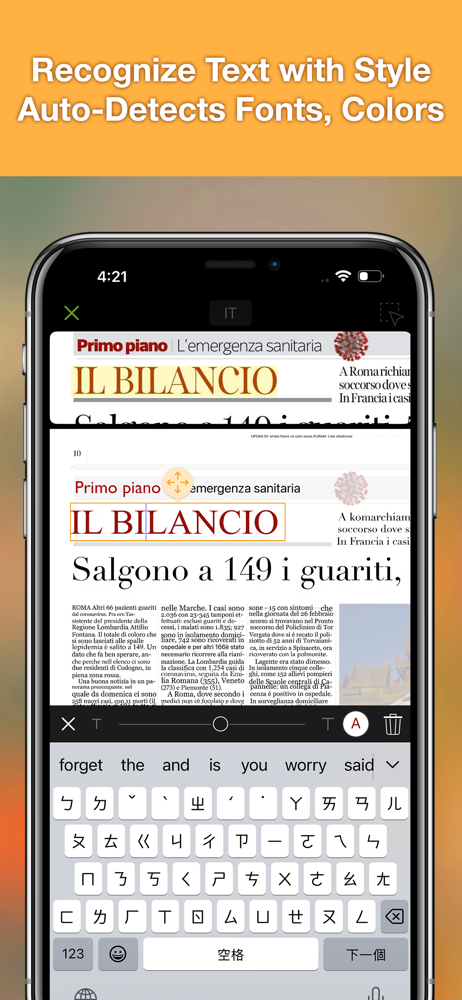
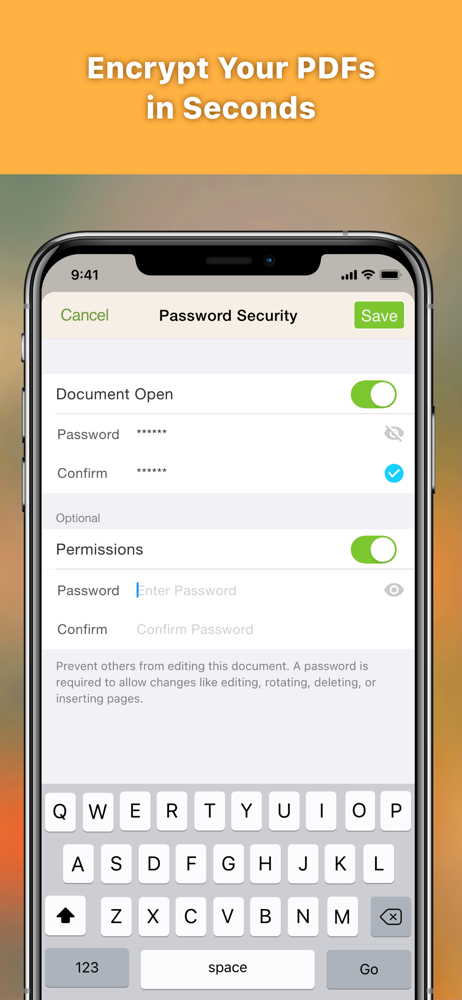
DocOCR – Smart PDF Scanner & OCR Tool for Education Turn your iPhone or iPad into a powerful document scanner and text recognizer with DocOCR. Wheth...
| Name | Price | Type |
|---|---|---|
| Fax Pack 1 | $0.99 | One-time |
| 1 Fax Credit | $0.99 | One-time |
| Doc OCR Pro BRONZE (Monthly) | $3.99 | Monthly |
| 5 Fax Credit | $4.99 | One-time |
| Fax No. For One Month | $5.99 | One-time |
| 10 Fax Credit | $7.99 | One-time |
| 20 Fax Credit | $14.99 | One-time |
| Fax No. For Six Months | $22.99 | One-time |
| Doc OCR Pro BRONZE (Annually) | $28.99 | Yearly |
| Upgrade To Pro | $39.99 | One-time |