
Check the acquisition promise
Read the store headline, screenshots and description. What problem is the app promising to solve?
Study the storefront ↗
minhee choi · iOS
Explore the ad evidence, study the storefront, and build your next acquisition hypothesis.
01 / Creative research
Read the store headline, screenshots and description. What problem is the app promising to solve?
Study the storefront ↗Explore apps with direct store-link matches. Compare their hooks and formats without assuming the same approach works here.
Browse observed advertisers ↗Store rankings and revenue estimates describe market context. They do not establish ad spend, conversions or ROAS.
Review the market context ↗02 / Storefront & product
Study the product story and store experience behind the acquisition funnel.


03 / Market context
Keep revenue, downloads and store rankings separate from advertising performance.
If there was an option to zoom into the dates I want to see and zoom out to see all my entries of the month, and zoom further out to see all the entries of the year, scrolling up and down the months, then zooming even further out to see all the years, it would be nice to be able to switch between dates easily. Thanks.
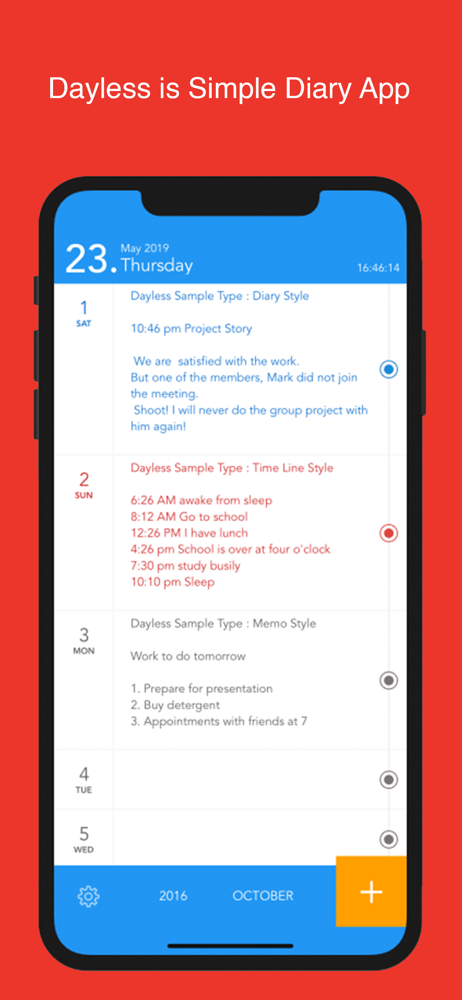
I had other notebook apps but they were complicated to use (time stamps, roll back to previous dates & times, etc...). While the Apple notes is by subject, sometimes you want one by date & this app fits perfectly! Choose the date you want use, press for keyboard & you’re ready to go!
I’m using this as a sort of manual date book. It’s a little cludgy to switch between months ... maybe a “days of the week” quick select to let you jump between days in the upcoming week? But love how simple it is. Reminds me of Bullet Journals. Awesome job!
'Dayless' my own story 'Dayless' pursues simplicity, intuition, speed. Make a your own note briefly and simply! 'Dayless' collects notes and makes y...


