Check the acquisition promise
Read the store headline, screenshots and description. What problem is the app promising to solve?
Study the storefront ↗
Junaid Ahmed · iOS
Explore the ad evidence, study the storefront, and build your next acquisition hypothesis.
01 / Creative research
Read the store headline, screenshots and description. What problem is the app promising to solve?
Study the storefront ↗Explore apps with direct store-link matches. Compare their hooks and formats without assuming the same approach works here.
Browse observed advertisers ↗Store rankings and revenue estimates describe market context. They do not establish ad spend, conversions or ROAS.
Review the market context ↗02 / Storefront & product
Study the product story and store experience behind the acquisition funnel.


03 / Market context
Keep revenue, downloads and store rankings separate from advertising performance.
Please don’t let this app die! I love this app so much! I would support your app fo ever. Please continue to fix and improve it 🙏🏻. We need iPad version of this app it will makes everything easier. Also, we need you to fix the iCloud sync because it doesn’t work now. I hope you continue supporting this app and never let this app to die. Thank you! 🙏🏻♥️
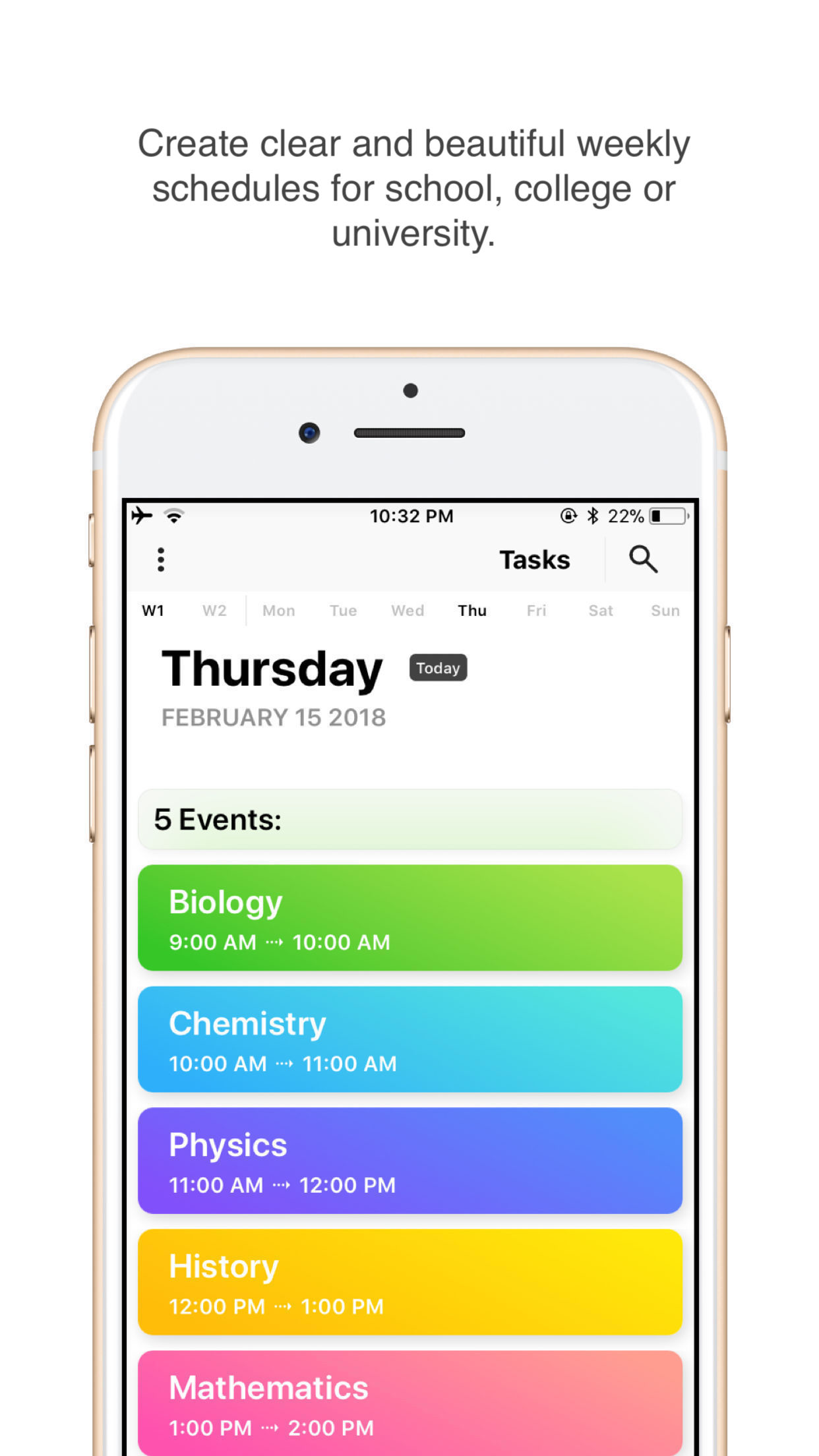
I love this app, it helps me know when my classes are ending and gives me time to get ready for my next. It is a little annoying having to enter the same classes for everyday since mine are daily without change. But aside from that, I think it’s the best scheduling app I have found.
I have not found a calendar app quite like this one anywhere, and I have looked at a ton of calendar apps. I love that you can colorcode things and to see at a glance what you are supposed to be doing at any given point in the day. It really keeps me on schedule to give myself a certain out of time to work on something. I particularly like the Clock feature and how events wrap around the clock. There are multiple ways to view this, And it even syncs with my watch. I put the app on the top of the “dock“ on my Apple Watch for easy access. I just have to push the side button twice and there it is. I no longer go to school, so I actually use this to organize my day. I use it in conjunction with the app called Things, and during chunks of day that involve tasks requiring more flexible planning, I use my Things app for that. The two together are a perfect combination and all I need.
Day-Today: Timetable - the perfect app for keeping track of your classes and assignments. Features: -Easily create clear and beautiful weekly schedul...
| Name | Price | Type |
|---|---|---|
| Upgrade | $0.99 | One-time |