Check the acquisition promise
Read the store headline, screenshots and description. What problem is the app promising to solve?
Study the storefront ↗
ZipoApps · iOS
Explore the ad evidence, study the storefront, and build your next acquisition hypothesis.
01 / Creative research
Read the store headline, screenshots and description. What problem is the app promising to solve?
Study the storefront ↗Explore apps with direct store-link matches. Compare their hooks and formats without assuming the same approach works here.
Browse observed advertisers ↗Store rankings and revenue estimates describe market context. They do not establish ad spend, conversions or ROAS.
Review the market context ↗02 / Storefront & product
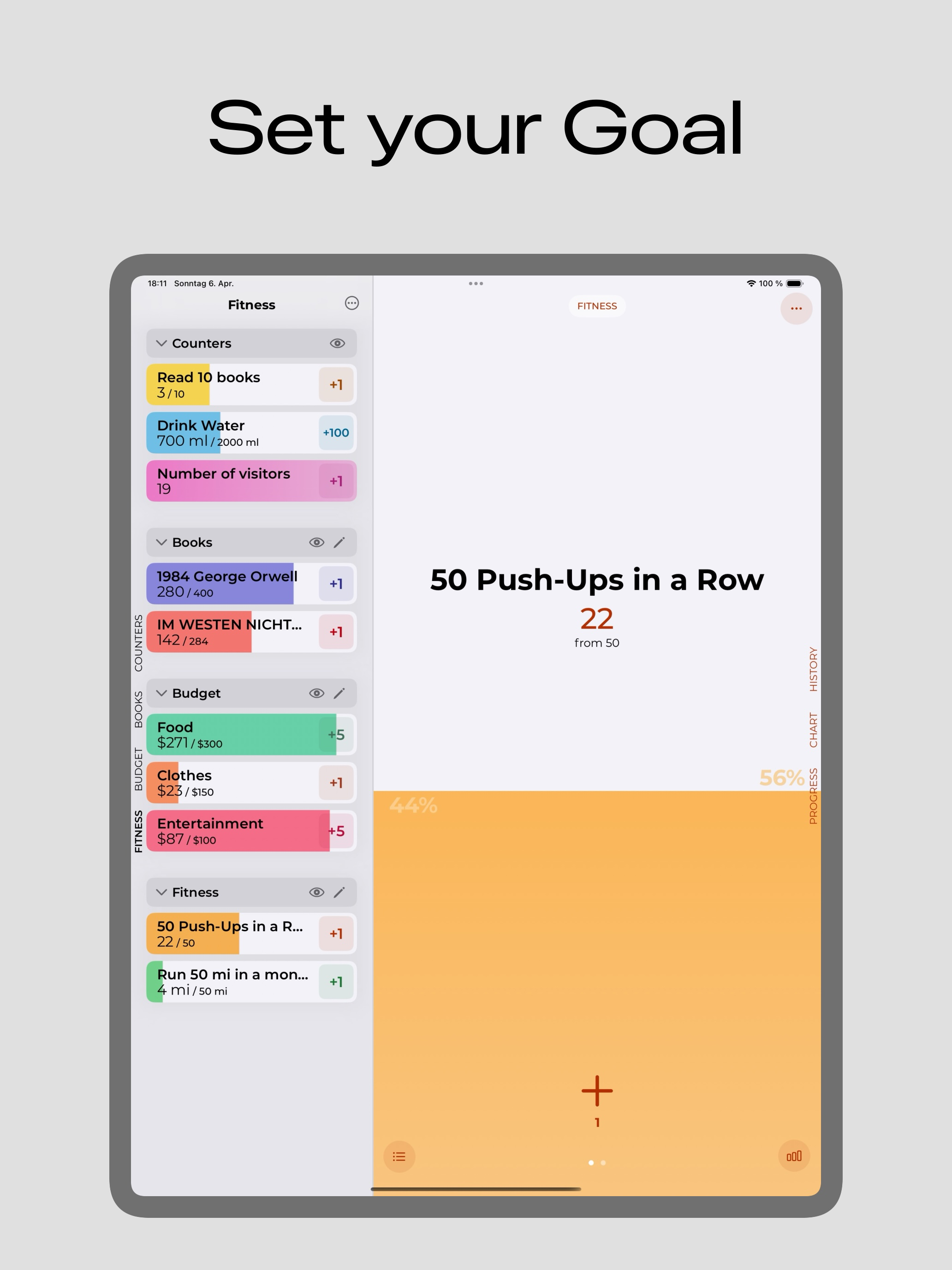
Study the product story and store experience behind the acquisition funnel.


03 / Market context
Keep revenue, downloads and store rankings separate from advertising performance.
This app used to be my go-to counter. It was simple and did what I needed it to do. HOWEVER, some recent update started putting pop-up ads EVERY TIME you open the app. I’m not going to sit through some stupid pop-up ad every time I want to spend half a second just clicking a tally button. The ads have absolutely ruined this app. I don’t mind banner ads, but pop-ups for something like this is just ridiculous. I’m glad I was able to find a different counter that is free, no ads, and doesn’t collect any user data, because I’m deleting this app. Don’t even waste your time with this one.
I love the simplicity of this app, both in its design and in its functionality. I think the only feature I would like that it doesn’t currently have is the ability to quickly reset a tracker so it can be used for a recurring goal or event. That can currently be done by editing the tracker and resetting its “count” to whatever default I want to use, but it would be nice if there was a button on the tracker page (like the + button that is there already) that could do it for me. It would also be nice to have a feature where I could set an automatic reset frequency (for example, “weekly on Sunday” or “every 3 days”), but even having the button I described above would be enough to satisfy me. Great work overall, though! A simple, easy-to-use tracker app that has clean, easy to interpret presentation and fantastic widget integration. A great find in the minefield of the iOS App Store.
For the score, you should add a decimal system
With Counter, you can easily create and manage counters for anything you want to track and monitor. Whether it's tracking the progress of your book...
| Name | Price | Type |
|---|---|---|
| Counter Pro | $7.99 | One-time |
| Unlimited Access (Weekly) | $8.99 | Weekly |