Check the acquisition promise
Read the store headline, screenshots and description. What problem is the app promising to solve?
Study the storefront ↗
Mischa Hildebrand · iOS
Explore the ad evidence, study the storefront, and build your next acquisition hypothesis.
01 / Creative research
Read the store headline, screenshots and description. What problem is the app promising to solve?
Study the storefront ↗Explore apps with direct store-link matches. Compare their hooks and formats without assuming the same approach works here.
Browse observed advertisers ↗Store rankings and revenue estimates describe market context. They do not establish ad spend, conversions or ROAS.
Review the market context ↗02 / Storefront & product
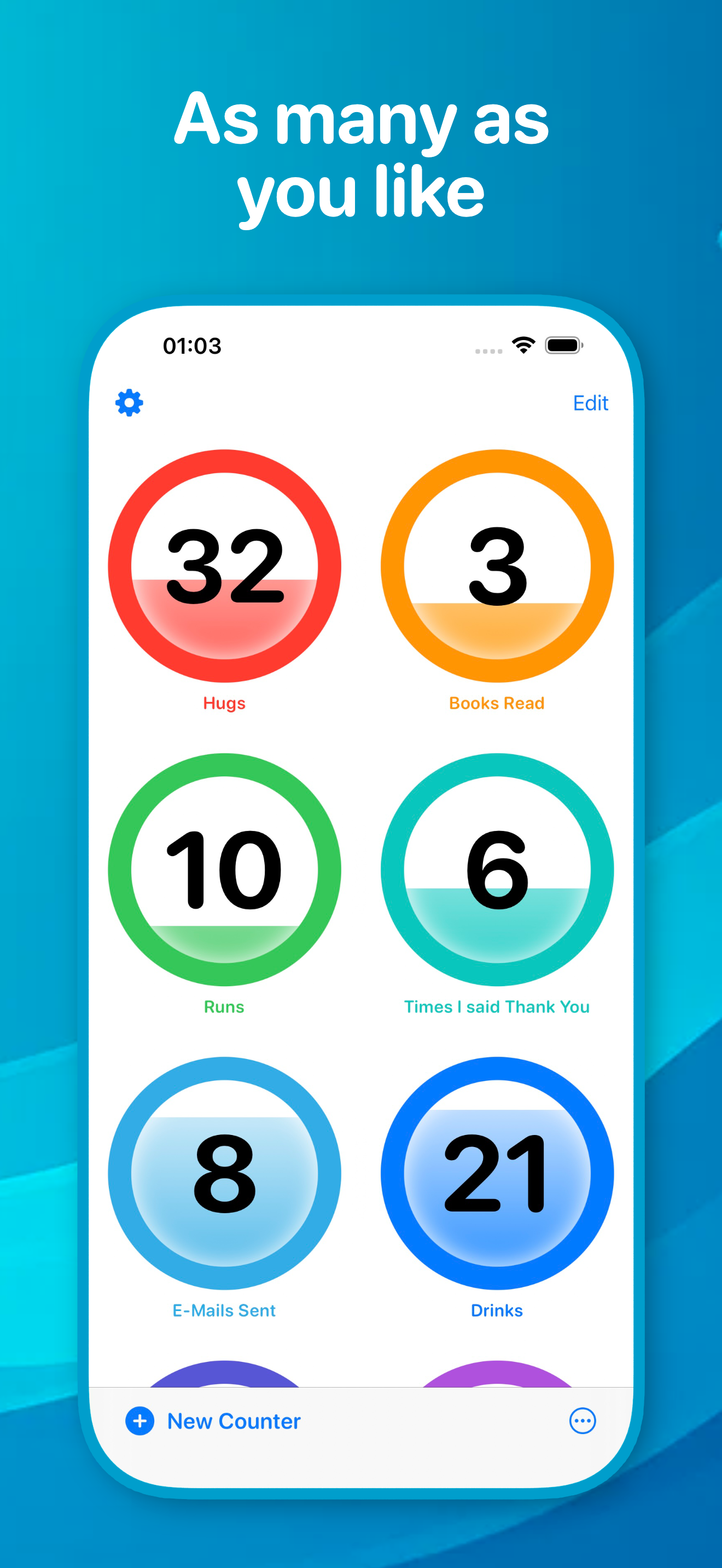
Study the product story and store experience behind the acquisition funnel.




03 / Market context
Keep revenue, downloads and store rankings separate from advertising performance.
I’ve tried many counter apps before, however none of them were as good at this one. It has a wonderful interface, is simpler than a lot of other counter apps, and I dare say is full of genuine love for it by its creator. I truly hope that people support those like you who take time and effort out of their day and lives to make these things for us. Cause making apps for apple devices can be difficult. And in general, app making is a lot of work. So, to end it off before I go on a tangent—genuinely love the design, love how it’s simple, doesn’t shove adverts down my throat, doesn’t need my data to sell to the hotdog stand worker down the street, and is genuinely more creative than like- 80% of the counter apps on the Apple Store.
I’ve never left a review before and found this app from browsing Reddit— I was struggling to find a simple and effective counter until stumbling across this one. I needed something that would help me keep track of my rows when crocheting and knitting. It is absolutely perfect. I am saying that now with the most recent update, giving me the ability to reset with long press. I wanted something like that before, and now it’s AMAZING!! I am stunned that so many counter apps fail to do something so easy. It is visually appealing, does exactly what I need it to do, and seems to have a developer that genuinely cares. I’m legitimately so happy over a simple counting app. (: thank you so much!!
Hi! I came across your counter app and Reddit post, and so far I love it. If you are open to feedback: 1) a sync function between iPhone and iPad would be great! So we can keep track of the same counter on both devices. 2) a screen-lock function, so that when the counter app is open, the phone doesn’t lock automatically. 3) Some kind of history data to know how many “steps” we took per week/month would be pretty useful. Other than that, great work! And thanks a lot for providing this to the community.
A simple, beautiful button to count. Sleek and elegant, satisfying to push, with haptic and acoustic feedback. Completely free: In-App Purchases are o...
| Name | Price | Type |
|---|---|---|
| Espresso | $2.00 | One-time |
| Cappuccino | $4.00 | One-time |
| Kaiserschmarrn | $10.00 | One-time |