Check the acquisition promise
Read the store headline, screenshots and description. What problem is the app promising to solve?
Study the storefront ↗
Muskian Inc. · iOS
Explore the ad evidence, study the storefront, and build your next acquisition hypothesis.
01 / Creative research
Read the store headline, screenshots and description. What problem is the app promising to solve?
Study the storefront ↗Explore apps with direct store-link matches. Compare their hooks and formats without assuming the same approach works here.
Browse observed advertisers ↗Store rankings and revenue estimates describe market context. They do not establish ad spend, conversions or ROAS.
Review the market context ↗02 / Storefront & product
Study the product story and store experience behind the acquisition funnel.




03 / Market context
Keep revenue, downloads and store rankings separate from advertising performance.
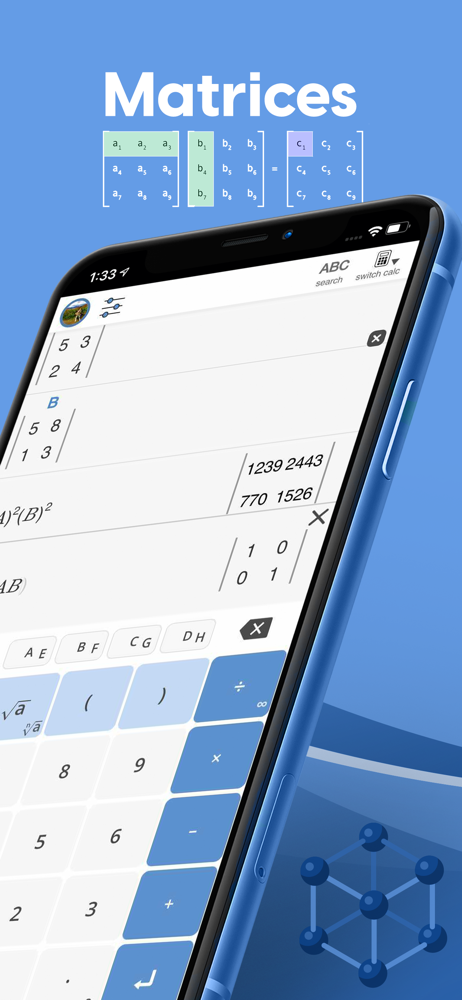
I am a math professor at a community college and I have been using ClassCalc with my College Algebra, Statistics, and Calculus I students for a semester now and I don't think I will be going back to TI. This calculator has all or almost all of the features I need to teach my classes and they keep adding new features. The team is also very responsive to any needs I have. The user interface is also much easier to understand compared to TI graphing calculators and the cost savings is immense. So for today's modern students who have their phones within arms reach at all times this app seems to be a perfect replacement for traditional graphing calculators. Add in the test lock out feature and the web app and it has everything I need in the classroom.
Students never leave their phones at home so now they always have a calculator in my class! I love the test modes in ClassCalc that allow me to customize the calculator to my specific classroom. More importantly, every teacher wants this calculator in their students’ hands because the test mode takes away all other distractions of the phone during class. Teaching stats this year has been a lot of fun because the students don’t get bogged down with calculations and can concentrate on the concepts. I also love that I can use it across platforms: Samsung Note 8, iPad, and desktop computer! I’m looking forward to the handheld version so I can have extras in my classroom.
I’m a college student studying chemistry and this app is amazing. I have the TI-84 calculator which is great, but is super inconvenient to carry around all day. It’s so much easier for me to just use this app on my phone or iPad to solve my chemistry calculations. This calculator is just like my TI-84 but has better features. My favorite thing I like to do with this app is to double tap an equation I previously entered and pick and choose data values to change. This saves me a ton of time on completing labs and problems where I have to enter several data values into the same equation. Yes, you can do this on a TI-84, but it’s easier to do this through a touch screen device rather than through scrolling. ClassCalc also has a super clean design and makes me excited to my homework. I don’t understand what half of the keys on my TI-84 mean but on this app everything is super organized by category, thus making it way easier to use. Love it!
Test-safe calculator. Statistics • Graphing • Scientific • Matrix calculator. 100% free. No ads. No “upgrade to unlock” functions. All equivalent func...