Check the acquisition promise
Read the store headline, screenshots and description. What problem is the app promising to solve?
Study the storefront ↗
Instructure Inc. · iOS
Explore the ad evidence, study the storefront, and build your next acquisition hypothesis.
01 / Creative research
Read the store headline, screenshots and description. What problem is the app promising to solve?
Study the storefront ↗Explore apps with direct store-link matches. Compare their hooks and formats without assuming the same approach works here.
Browse observed advertisers ↗Store rankings and revenue estimates describe market context. They do not establish ad spend, conversions or ROAS.
Review the market context ↗02 / Storefront & product
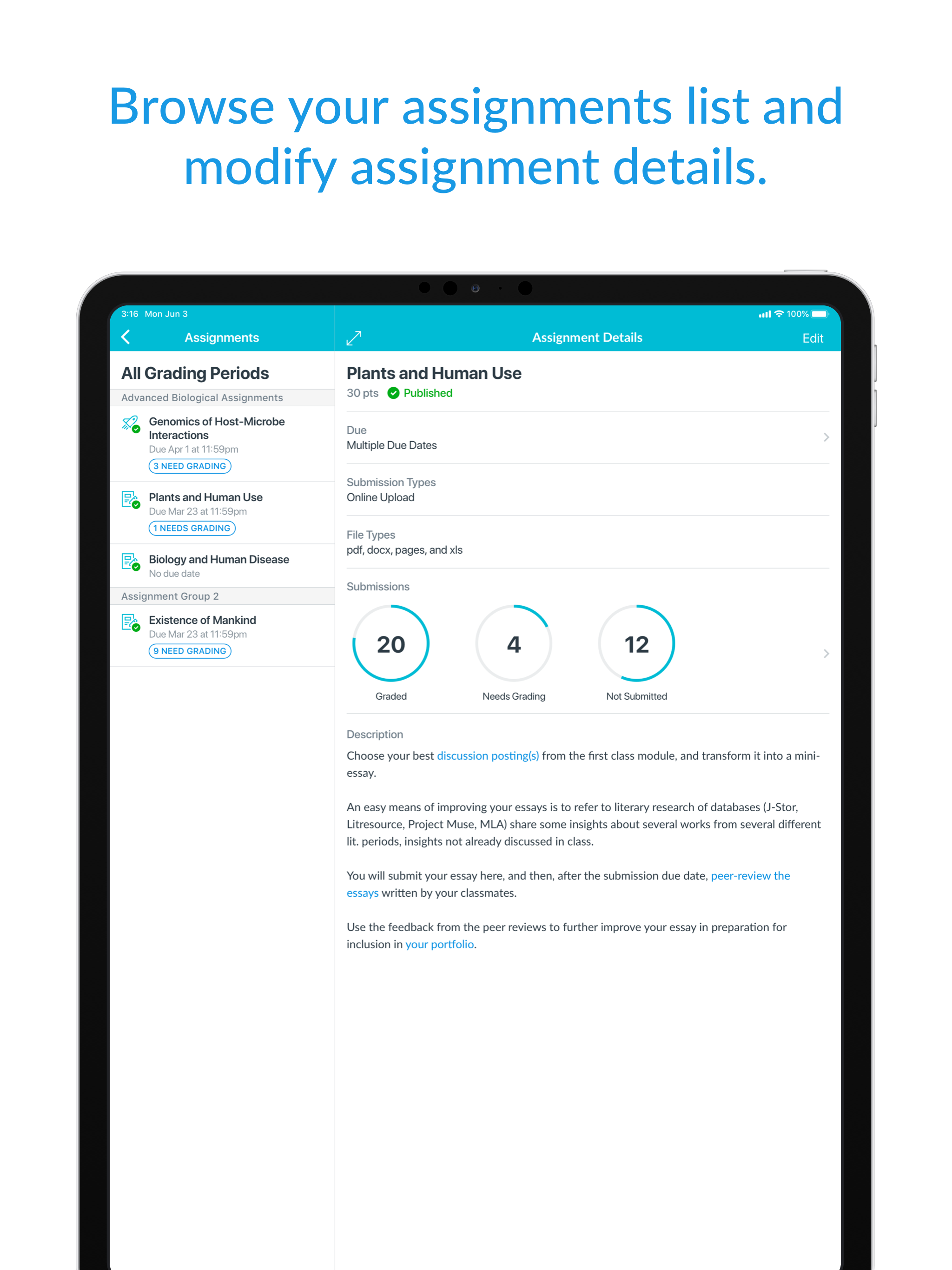
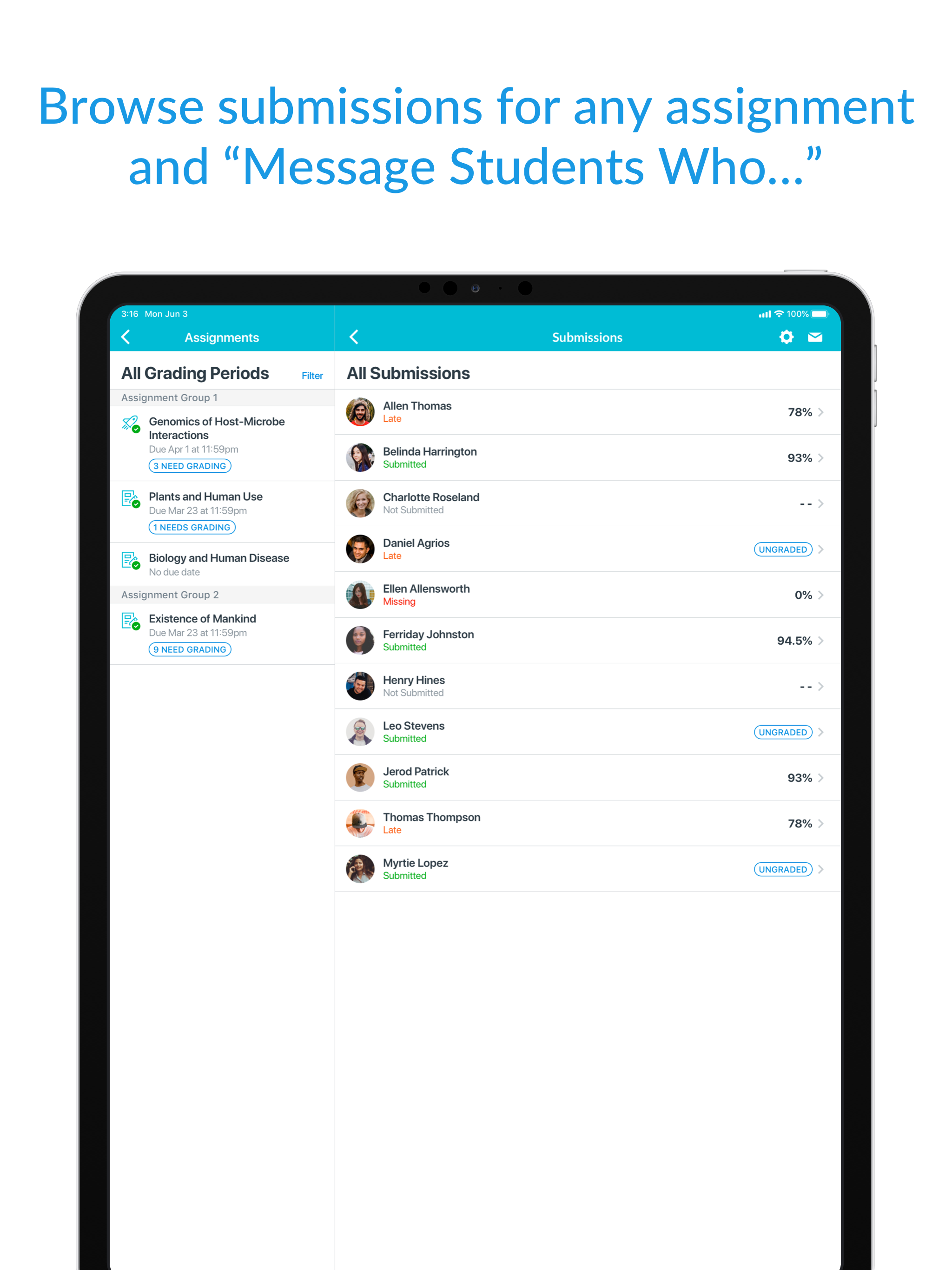
Study the product story and store experience behind the acquisition funnel.


03 / Market context
Keep revenue, downloads and store rankings separate from advertising performance.
I wouldn’t use this alone, but it is helpful when paired with the desktop version. I like the ability to write directly on my student’s pdf assignments (it would be great if it took fewer clicks for them to find that feedback, but that is not the fault of the Teacher app). I pretty much only use this to write on students’ work as I find everything else easier on the desktop . I’ve removed my complaint about the February 2021 update since that has been resolved. The remaining issue that I have is that sometimes when I write feedback it doesn’t save the ends of sentences/words. It’s difficult to troubleshoot because I can see everything until I close the assignment and reopen it (which I don’t usually do). Unfortunately the students can get confused by comments with partial words or missing worlds! If I don’t feel too rushed I load the next paper then come back to the previous one and skim through the comments to make sure that everything shows up, but it is frustrating. (For reference I use an iPad Pro purchased in November 2019 and an Apple Pencil)
UPDATED REVIEW: Canvas has fixed the problem and the Canvas Teacher’s app works wonderfully. As before iPadOS 13, it is easy to use to grade student essays or contact students. With this fix, I now give it a five-star review. It took a while, but... Well done, Canvas!!! UPDATED REVIEW: I have spoken to several Canvas people and have been told Canvas is aware of the app crashing with iOS 13 or iPadOS 13 and they are working on an updated version of the app. I was told by one of their L2 engineers that he could not give me a date for when the new app version will be released. Until it is released, my one-star review must stand. (Why is it taking Canvas so long to fix this problem?) PREVIOUS REVIEW:This was a great app until IOS 13. Since then, I cannot leave a comment within a highlighted section of text for a student paper because the app crashes —every time. My problem was reported to Canvas, and I get responses from their support staff as though they do not know what is going on. So I will tell Canvas what is going on: Your Teacher App is creasing after IOS 13 came out. Not that hard to understand (Canvas support people actually asked me for my “crash logs” from my iPad). Please fix this! If Canvas cannot fix this, the app is worthless and teachers would be better off going back to the desktop version. What a shame.
Here’s the issue: when grading assignments with an iPad on this new “Teacher” app, if you hold the iPad in landscape orientation, you know, like literally every keyboard case does, there is this GIGANTIC score tab on the right side of the screen that’s taking-up about half the screen. That wouldn’t be all that bad if there was a way to hide it, but for some reason, and I still cannot fathom what that reason is, there is no way to minimize it, hide it, swipe it off screen to the right, etc. (which, by the way, was something you could do with the previous SpeedGrader app). Nope, it’s just stuck there, literally taking-up half the screen. But, if you hold the iPad in portrait orientation, you can minimize the scoring tab to the bottom of the screen. The result is that the “paper”/assignment is actually displayed larger when the iPad is in portrait orientation than it is in landscape. Another thing, and this one isn’t quite as much of an issue, is that I see no way to select seeing the submissions of just one, specific section, meaning there’s no way for me to see only my 5th period submissions. Again, this was something that could be done with the “old” SpeedGrader app. Generally, I really love Canvas, and, overall, I’m very pleased with my experience with it. But, I’m very frustrated in being forced to use these “new”/“better” apps that actually do less, or, at least in my case, make using them MUCH more difficult/less efficient.
Save time. Teach on the go. Canvas Teacher helps educators, instructors, and teachers grade, give feedback, and manage their classes from anywhere. W...