Check the acquisition promise
Read the store headline, screenshots and description. What problem is the app promising to solve?
Study the storefront ↗
Blue Milk Apps LLC · iOS
Explore the ad evidence, study the storefront, and build your next acquisition hypothesis.
01 / Creative research
Read the store headline, screenshots and description. What problem is the app promising to solve?
Study the storefront ↗Explore apps with direct store-link matches. Compare their hooks and formats without assuming the same approach works here.
Browse observed advertisers ↗Store rankings and revenue estimates describe market context. They do not establish ad spend, conversions or ROAS.
Review the market context ↗02 / Storefront & product
Study the product story and store experience behind the acquisition funnel.


03 / Market context
Keep revenue, downloads and store rankings separate from advertising performance.
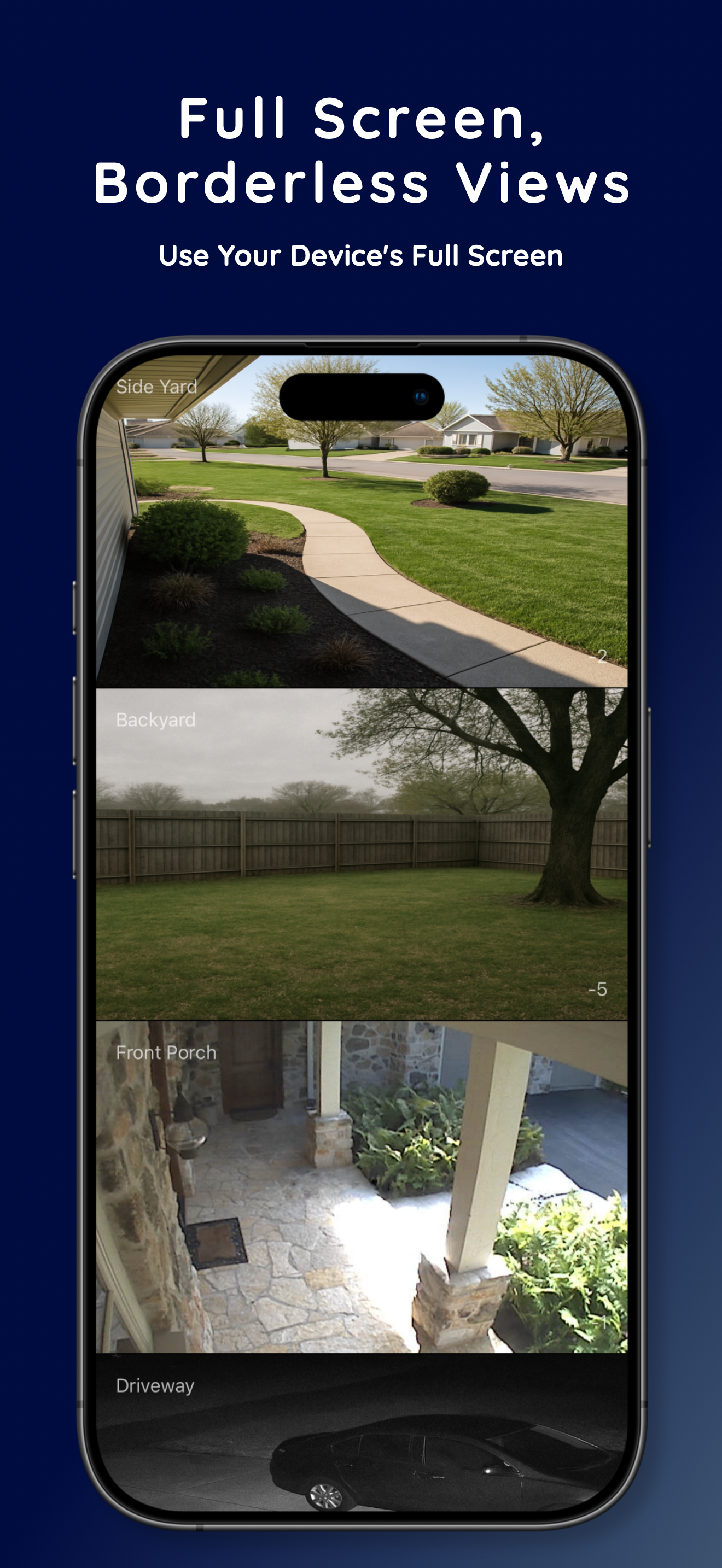
I’m surprised other apps don’t do this type of columned/tiled layout. I think it’s the best but it’s hard to find. This app does it well and if it’s something you want, it’s worth paying for. Thank you for not making it a subscription. 👍
Straight and to the point: to demo the app properly you really need to see more than one camera. That’s the whole point. Wondering if you can see all your cameras in live motion. Recordings. You can’t playback any of your cameras recordings. I’m assuming you must be able to access them because of the time lapse feature that I couldn’t get to work. Zooming. You can’t pinch and zoom into a video feed. Nor scroll. Home app does this. You can only tap to stretch to screen. Aspect ratio. While having the option to manually change the aspect of a camera, most people aren’t going to know what a aspect ratio even is. This metadata is included in video feeds. So the app should default to what the stream says it is. This is in the QT spec. Ptz. Apple supposedly has written into the HomeKit specs the ability to control PTZ cameras. Nobody has dug it out and made use of it but it’s there. I haven’t confirmed this since iOS 15 but it would be nice for a speciality HKSV viewing app to have this. As far as being able to stream all of your cameras at once I couldn’t test without buying. But I assume it probably doesn’t work well as nobody else can do it. Maybe if when in multicamera view the app requested the low res feeds of that camera. Like when you view a camera from your watch it requests the third stream (the sd low res stream) from my Hikvision Poe cameras. So there’s no transcoding that needs to happen. Then if you go full screen start the full res stream. Saw there is a talk back button for cameras with speakers. Didn’t get a chance to test. Also would be nice to have controls for nearby accessories in the camera window like the home app does. And access to the full settings of each camera including notifications. I know these are accessible because everyone else lets you. Eve. Controller. They even let you see more fields than what home app shows you. Including facial recognition. Would be nice to have that in there as well and perhaps take it a step further and allow users to have the detection of someone you know be a trigger. App hears Joe is at the door and it then makes that into a shortcut that then unlocks the door if certain conditions are met. And of course have this app in Mac OS, iPad os, watch, tv os all included in the price. Especially if it’s a subscription model. Syncing settings.
Could use an apple tv app!
Experience seamless security with Camera Monitor for HomeKit! View and monitor live streams or snapshots of multiple cameras simultaneously on your iP...