
Check the acquisition promise
Read the store headline, screenshots and description. What problem is the app promising to solve?
Study the storefront ↗
Lalit Patil · iOS
Explore the ad evidence, study the storefront, and build your next acquisition hypothesis.
01 / Creative research
Read the store headline, screenshots and description. What problem is the app promising to solve?
Study the storefront ↗Explore apps with direct store-link matches. Compare their hooks and formats without assuming the same approach works here.
Browse observed advertisers ↗Store rankings and revenue estimates describe market context. They do not establish ad spend, conversions or ROAS.
Review the market context ↗02 / Storefront & product
Study the product story and store experience behind the acquisition funnel.


03 / Market context
Keep revenue, downloads and store rankings separate from advertising performance.
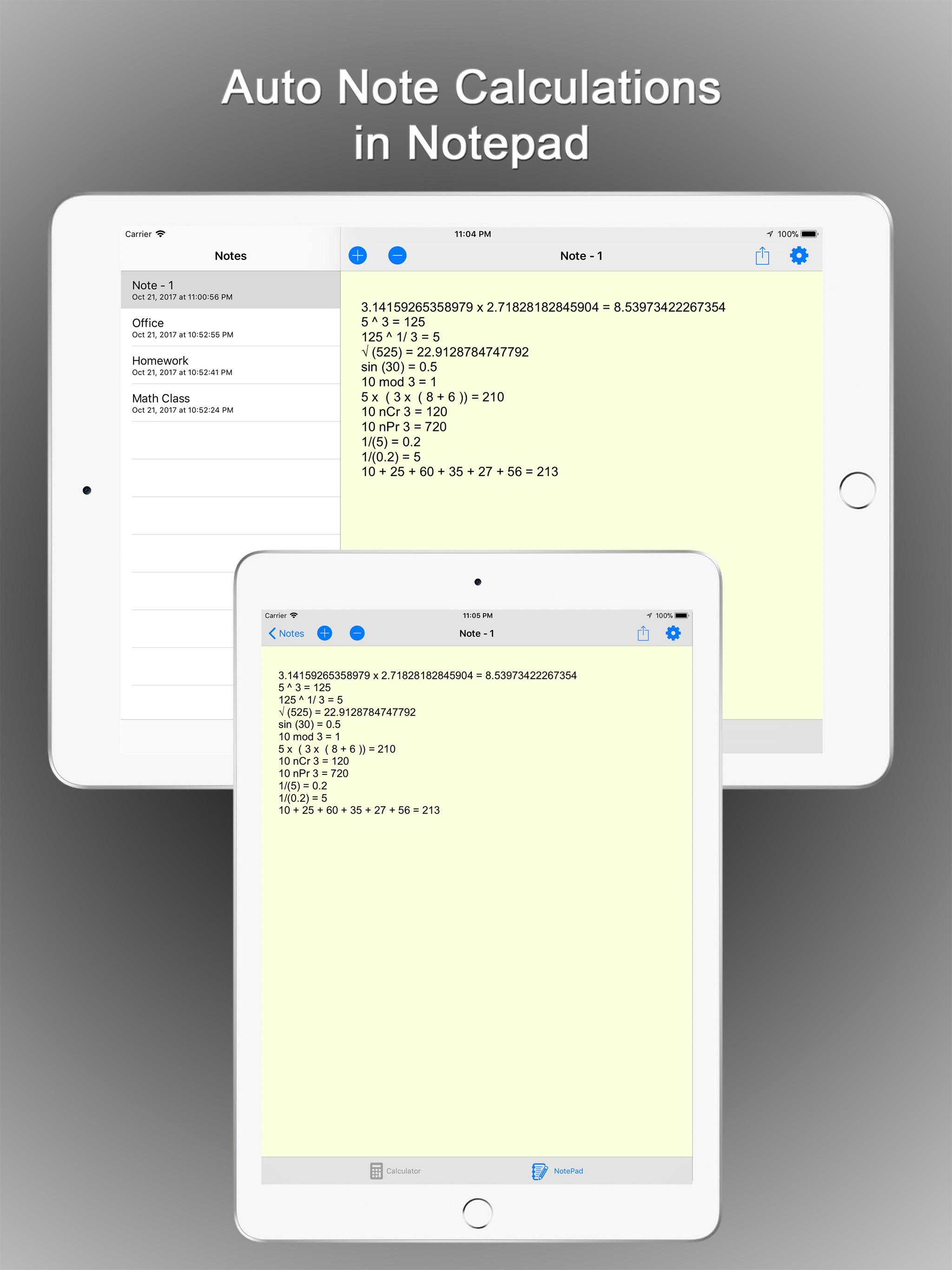
After the last update, the Notes function (the best part of the app) had lost my old notes and stopped recording, and then it wouldn’t even open. But after restarting the phone all the old notes came back and it worked as usual. I use CalcMadeEasy all the time and love it. The Notes function is very helpful: you can save more than one note, for example, to store numbers and equations, with text. And the ability to transfer numbers from Notes, Units and Universal Constants easily to the calculator is great.
I used this calculator for years, mostly as a checking account register - thanks to the Notes option. Lately, however, it kept crashing in the middle of a calculation, which would lose all the info and prompt me to start all over. I hoped that this latest upgrade would fix it, but it made it much worse! It now stubbornly erases my notes, and (can it be??) shuffles them out of order... it also “drops” the latest number/amount entered, thus rendering it pretty much useless for my purposes. I thought it was because I selected “no Cloud,” so I changed my selection to “yes, store entries on Cloud” and it made absolutely no difference. Before leaving this review, I tried to contact tech support, but the button inside of the app is deemed as non-functional. There seem to be no option for support in the App Store either. I guess, I will have to find some other calculator.
This Calculator is awesome. The notepad feature and the option to auto save on notepad is very useful. The one nice thing about this app is that it comes without advertisements. The other paid options are useful as well. However, I would like to have a feature added to this calculator- the running answer on the main screen before hitting the "equal to" key. The developer has addressed this issue where you can swipe the main screen down to see the inputs and the results before hitting the equal to key, however if this feature is made available on the main screen, it would add to the usability of this app.
One of the BEST Calculators for iOS devices. FREE version comes with fully functional Scientific Calculator and Notepad with Automatic Notes taking ca...
