Check the acquisition promise
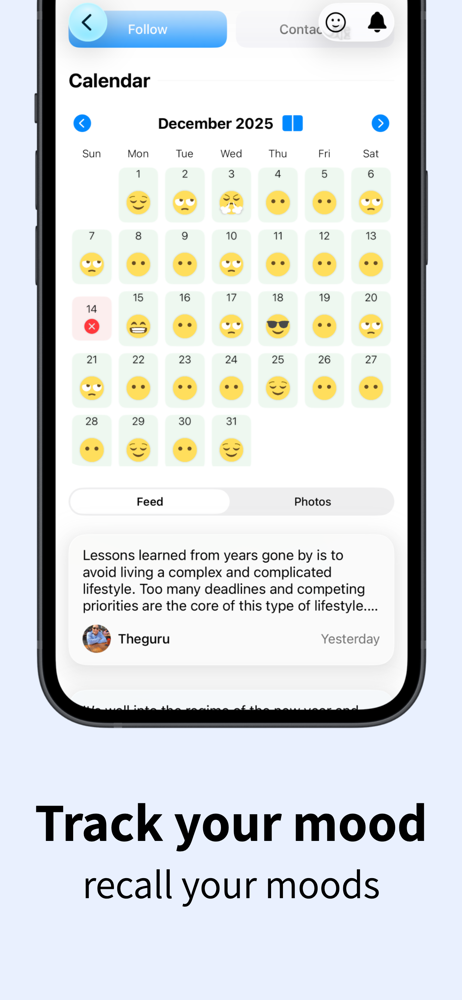
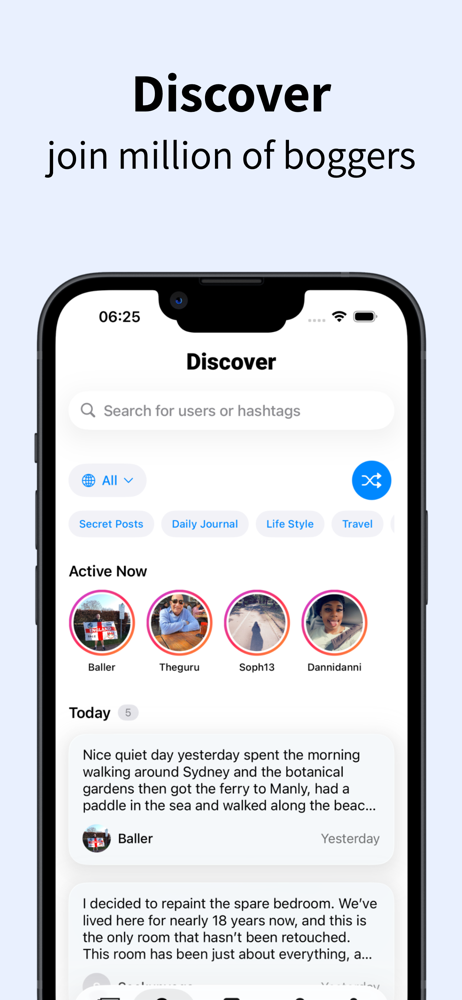
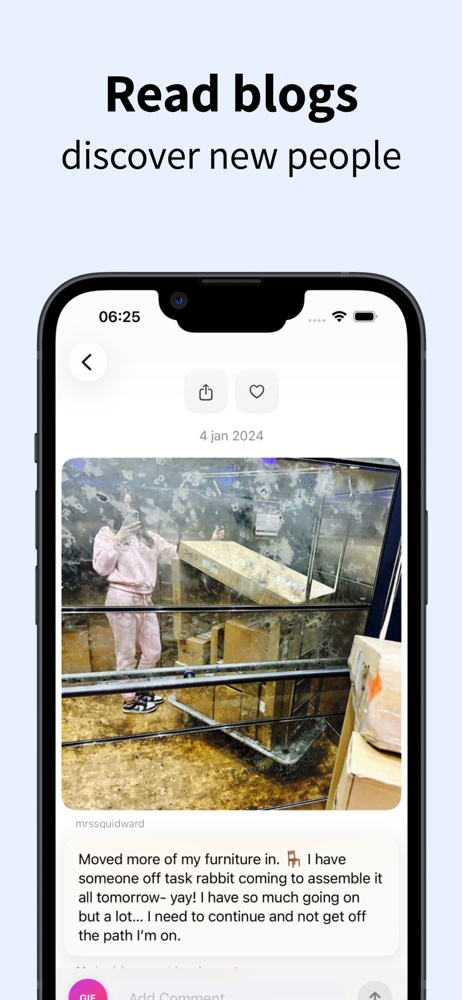
Read the store headline, screenshots and description. What problem is the app promising to solve?
Study the storefront ↗
henri gil · iOS
Explore the ad evidence, study the storefront, and build your next acquisition hypothesis.
01 / Creative research
Read the store headline, screenshots and description. What problem is the app promising to solve?
Study the storefront ↗Explore apps with direct store-link matches. Compare their hooks and formats without assuming the same approach works here.
Browse observed advertisers ↗Store rankings and revenue estimates describe market context. They do not establish ad spend, conversions or ROAS.
Review the market context ↗02 / Storefront & product
Study the product story and store experience behind the acquisition funnel.




03 / Market context
Keep revenue, downloads and store rankings separate from advertising performance.
Posting was simple enough, but navigating the platform felt far less intuitive. I constantly found myself wondering where the button was to get to the place I needed to be. I know some people enjoy this platform for many reasons, but my rating is based primarily on ease of use. I make my living from a computer screen, so while user error is always possible, that does not feel like the main issue here. I was often lost in the interface and never felt confident in the appearance of my blog, which kept me from wanting to share it with others. I held on for a while thinking it might just be a matter of adjustment, but that feeling never really changed. Today I went in to update my settings. When I hit save, I was abruptly taken to the login screen. I assumed it would be simple to log back in, but that has not been the case. When I created the account, I used my Apple ID with the masked email option. My attempts to log in that way appeared successful, but the process never moved me forward to an actual usable screen. After going in circles, I decided I want to delete my account. If I can successfully log back in, I’ll take care of that then. For now, I’m left waiting.
I give this app an A because you get a chance to explore and read what others are blogging about. You can also comment on their posts and follow them and allow others to comment on your post and follow you. You are allowed to share links, videos, and photos. WeBlogIt is the right name for the app. It has all that you need.
I just signed up and am excited to start posting but I wish it was easier to discover people to follow. I can’t seem to find a blog homepage. When I click their name I only get the latest post. I want to know what all of their posts are like before I follow them to make sure I am going to like reading all their stuff. So far it seems awesome but I’m wanting some examples of what the community is like before I jump in. I guess I will have to just post and see if maybe this opens things up for me. But so far the navigation is rigid and exploring is not easy. Even hashtag searches are not really helping me find general blogs or to even know if that person only did one post about that or if they blog about that regularly. I can’t see bio descriptions or anything else. Super disappointed in the interface and navigation.
Discover BlogIt, the ultimate iOS app for seamless diary and micro-blogging experiences. Designed for individuals passionate about documenting their l...
| Name | Price | Type |
|---|---|---|
| Monthly Subscription | $0.99 | Monthly |
| 1 month subscription | $1.49 | Monthly |
| 6 Month Subscription | $4.49 | Semi-Annual |
| Annual Subscription | $8.99 | Yearly |