Check the acquisition promise
Read the store headline, screenshots and description. What problem is the app promising to solve?
Study the storefront ↗
Bell Canada · iOS
Explore the ad evidence, study the storefront, and build your next acquisition hypothesis.
01 / Creative research
Read the store headline, screenshots and description. What problem is the app promising to solve?
Study the storefront ↗Explore apps with direct store-link matches. Compare their hooks and formats without assuming the same approach works here.
Browse observed advertisers ↗Store rankings and revenue estimates describe market context. They do not establish ad spend, conversions or ROAS.
Review the market context ↗02 / Storefront & product
Study the product story and store experience behind the acquisition funnel.




03 / Market context
Keep revenue, downloads and store rankings separate from advertising performance.
Can’t use the app since I need my 5 and 2.4 to have different names
Vraiment de la marde votre application
After trying for a month to find the optimal physical locations for the wifi pods, I’ve concluded that this product simply does not deliver what it claims. The pods ‘optimize’ to the worst possible configuration. I have no other neighbouring interference so I’m baffled by some of the configurations. Most times, my furthest pod will connect directly to the modem with a poor signal, bypassing 3 other pods that are physically closer and have excellent signal. No matter how I change the physical location of the pods it generally starts off with a decent speed around 200mbps and within about an hour I’m getting around 1mbps. Since I am paying for 1.5gbps this is not acceptable as it is 1500x slower. During troubleshooting I even plug my PC directly to a pod via Ethernet to ensure that my computers network card is not to blame. Speed of the pods is only half the problem. How the mesh network chooses to connect devices is also faulty. My phone could be on the furthest node from the modem - If I walk 50 feet until directly beside the modem the phone stays connected to the far node and I have virtually no signal, or my phone drops the wifi network altogether. Devices that never physically move such as a Sonos speak try to stream music directly from the modem with intermittent signal when there is a pod less that 3 feet away. I have a few tech gadgets; Sonos speakers and a few Philips hue bulbs. This is important because they rely on consistent wifi signal to function. With Bell Plume Wi-Fi pods the Sonos speakers cut in and out constantly. Philips bulbs are often not controllable by my phone or light switches due to inconsistent signal. Moment to moment, YouTube or Netflix streaming varies wildly in video quality because of the fluctuating bandwidth - making it virtually unwatchable. All of these issues could be solved if manual controls existed in the settings menu. The ability to manually override network settings such as frequency channel has been around for over 25 years. Without manual controls this product at the moment is not ready for the consumer market. I am fortunate that Bell offered these for free with a promotion so I can switch back to my Google Wi-Fi product which functions perfectly. I only tried the Bell Plume pods because they were free and I wanted to compare. Definitely avoid!
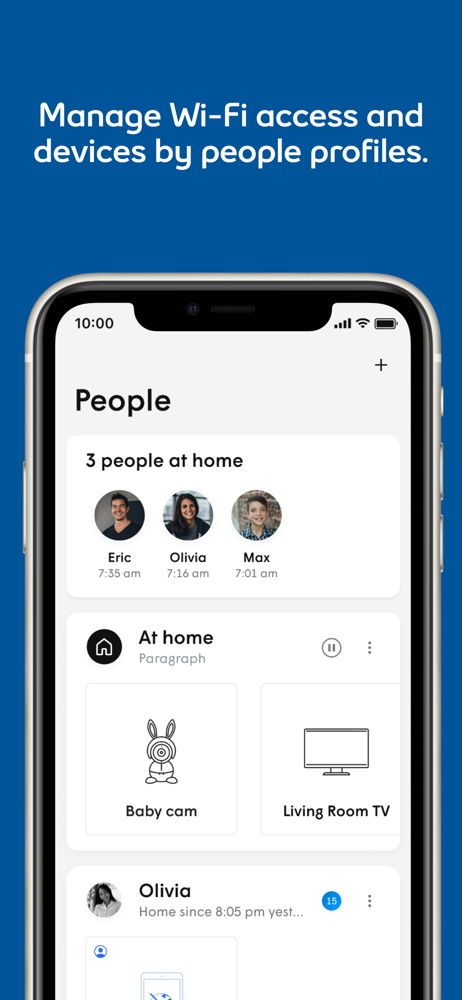
*** Note: Please see requirements below for eligibility. *** With the Bell Wi-Fi app, easily take control of your home network. Enjoy great features...