Check the acquisition promise
Read the store headline, screenshots and description. What problem is the app promising to solve?
Study the storefront ↗
Junaid Mukadam · iOS
Explore the ad evidence, study the storefront, and build your next acquisition hypothesis.
01 / Creative research
Read the store headline, screenshots and description. What problem is the app promising to solve?
Study the storefront ↗Explore apps with direct store-link matches. Compare their hooks and formats without assuming the same approach works here.
Browse observed advertisers ↗Store rankings and revenue estimates describe market context. They do not establish ad spend, conversions or ROAS.
Review the market context ↗02 / Storefront & product
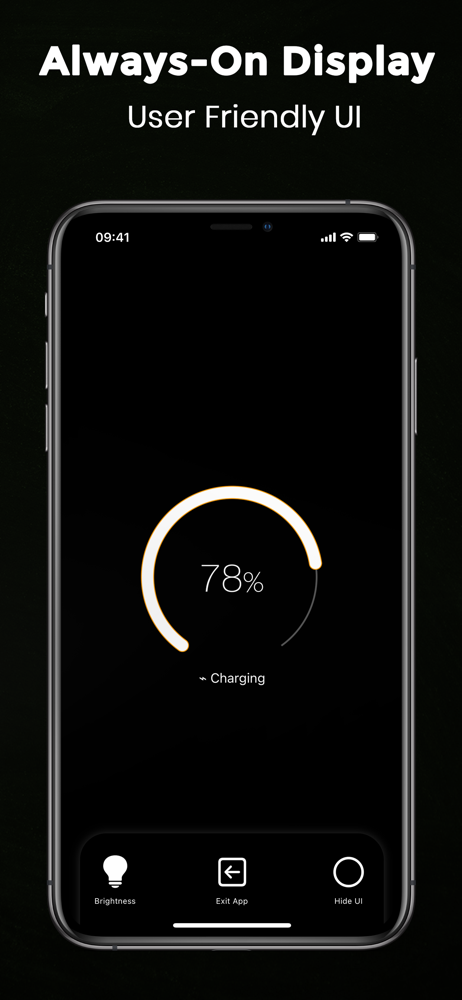
Study the product story and store experience behind the acquisition funnel.



03 / Market context
Keep revenue, downloads and store rankings separate from advertising performance.
Because of the way iOS handles background tasks, the app has to be open and the alarm "set" for it to go off while the device is charging. There's a setting that implies the charge alarm will better work in the background if you pay, but doing so and switching the toggle for that on didn't make a perceptible difference for me. 🤷♀️ You _can_ set up a shortcut/automation task that will do this for you when connecting to a charger, which makes the app worthwhile. Without this, I would find it entirely useless. So props for that! 😁 There are caveats to how well this works, though, unfortunately. It doesn't work if the device isn't unlocked, or the screen is off. It also doesn't take into account volume - not in your device settings or in the app, for the charge alarm. I can work around almost all of this by being mindful of my habits, _except_ for the volume issue. I really dislike the fact it doesn't honor the settings for this because what happens is the volume defaults to 100%. This _regularly_ scares me when it goes off! 😭 To make matters worse, the system ringer/alarm volume stays maxed out, making _other_ apps' sounds scare me unless I remember to put it back down after the charge session is over. 😱 To the developer: _please,_ improve the shortcut so that it either honors the volume already set in the app, or allow the volume to be set in the shortcut configuration! 🙇♀️🥺
I was hoping the app would have an alarm to let us know when the phone has reached a minimum capacity. For example, alarm rings when the battery has reached 10%.
It says it will give data after 10 minutes of charging with the app open. A half hour later, no data, just ads for cryptocurrency each time you request either of the two available information charts. Just a scam to display advertising. Zero information regarding how bad an old battery is in terms of charge capacity. Completely worthless.
Battery 100% Alarm Remove the charger when the battery is fully charged. It will maintain your phone's battery health and save energy. This app will...
| Name | Price | Type |
|---|---|---|
| Battery Health Alarm Pro (Annual) | $0.99 | Yearly |
| Charging Alarm Full Power+ Pro | $5.99 | One-time |