Check the acquisition promise
Read the store headline, screenshots and description. What problem is the app promising to solve?
Study the storefront ↗
Autopilot Studios LLC · iOS
Explore the ad evidence, study the storefront, and build your next acquisition hypothesis.
01 / Creative research
Read the store headline, screenshots and description. What problem is the app promising to solve?
Study the storefront ↗Explore apps with direct store-link matches. Compare their hooks and formats without assuming the same approach works here.
Browse observed advertisers ↗Store rankings and revenue estimates describe market context. They do not establish ad spend, conversions or ROAS.
Review the market context ↗02 / Storefront & product
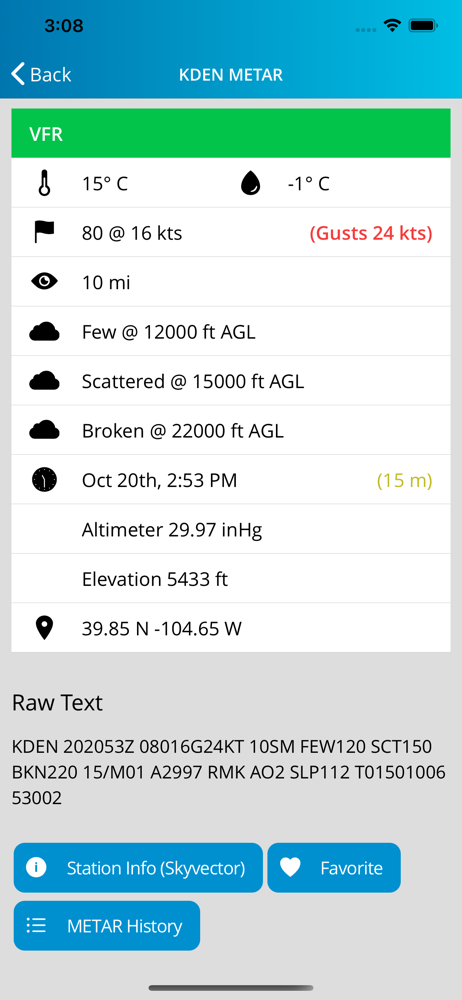
Study the product story and store experience behind the acquisition funnel.



03 / Market context
Keep revenue, downloads and store rankings separate from advertising performance.
With ios 26, It can not find stations and quit working!!!
Especially the wind speeds. It claims “3mph” when its at the very least 30! And they still put the wrong speed when they update!
Loved the simplicity of how things were displayed in the flight briefing. Sometimes it is just nice to look at a text briefing without all the clutter of a full flight planner. Took no time to learn to navigate the app. Only thing needed is a help link within the app for bug reporting / suggestions. I couldn’t access a pilot report (PIREP) Only thing displayed was type of plane and time it was filled. It did not include the contents of the PIREP being reported. Some may want NOTAMS to view in their briefing. Since this is strictly a weather briefing and clearly not intended as a formal briefing I didn’t miss seeing NOTAMS but it was an instinctual act to look for them.
Aviation weather puts information from aviation weather reporting sites at your fingertips! This app allows the easy access of METAR and TAF reports f...