
Check the acquisition promise
Read the store headline, screenshots and description. What problem is the app promising to solve?
Study the storefront ↗
Computershare, Inc. · iOS
Explore the ad evidence, study the storefront, and build your next acquisition hypothesis.
01 / Creative research
Read the store headline, screenshots and description. What problem is the app promising to solve?
Study the storefront ↗Explore apps with direct store-link matches. Compare their hooks and formats without assuming the same approach works here.
Browse observed advertisers ↗Store rankings and revenue estimates describe market context. They do not establish ad spend, conversions or ROAS.
Review the market context ↗02 / Storefront & product
Study the product story and store experience behind the acquisition funnel.


03 / Market context
Keep revenue, downloads and store rankings separate from advertising performance.
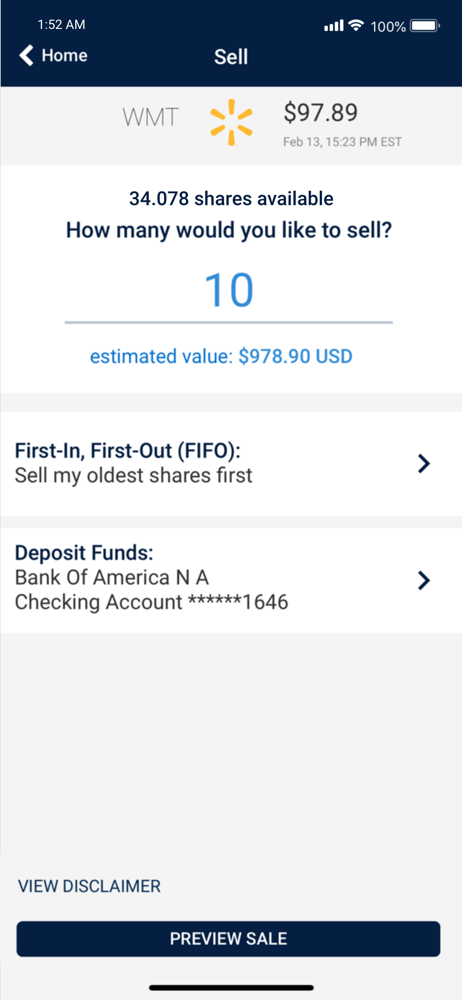
I am highly disappointed with the Walmart Computer Share app. The sign-in process is a nightmare—when it even works. Everything in the app loads painfully slow, and the entire software and UI feel amateurish and outdated. One of the biggest drawbacks is that you cannot directly purchase Walmart shares through the app. When it comes to selling your shares, the process is equally frustrating. You are required to enter your bank account information, but they will still send your money via check in the mail, which is not only inconvenient but comes with a hefty $25 minimum fee plus an additional percentage of your money. If you prefer to transfer your shares to a brokerage, the app only allows transfers via the slower and outdated DTC method. In today’s world, most modern software opts for ACAT transfers, which are faster and more widespread. Unfortunately, the DTC transfer process is flawed—I have been trying to transfer my money for several weeks, and it still hasn’t appeared in my Fidelity account. Customer service is another major pain point. You have to wade through several automated messages before finally speaking to a real human being, only to find that the representative is unhelpful and passes on responsibility without resolving the issue. My recommendation: Only put the bare minimum of stocks in the app to max out the Walmart match, and transfer your shares out as soon as possible.
Like others say, it’s pretty much just to view what you own or sell. However, I have been noticing a glitch here recently when using on my iPhone 14 Pro Max. If you scroll down main page and tap “see more activity”, it shows you a little more detail for each transaction that you would otherwise have to open each one. Problem is that when you try to hit the “home” button on top left of screen to go back, it doesn’t seem to recognize any taps. I have to fully close app and reopen to go back home. I think this is due to the rounded corners of the screen. I’ve had similar issues on other apps which have been updated for this particular model. Please fix this.
Cons, no graph and can’t buy shares, can’t adjust the amount being withheld from your check that goes for stock. It would be helpful to have a graph of the stock going back a few years, Would also be nice to be able to buy shares. Pros, you can see how many shares you have, value of the shares and you can sell your shares Being a Walmart employee we have to log in and change how much money we want taken out from our paycheck it’s a big hassle if you don’t want to buy when the stock is high or when it fluctuates, always having to log in and change things around. it would be a lot more convenient to be able to do this on the app or being able to buy shares when we want so we can just have nothing taken out from our checks and use this app when we want to buy shares or part of shares.
For anyone who participates in Walmart's Associate Stock Purchase Plan (ASPP), this app is a breakthrough. Now it’s easy to access and keep track of y...
