Check the acquisition promise
Read the store headline, screenshots and description. What problem is the app promising to solve?
Study the storefront ↗
K2 Cashflow, Inc. · iOS
Explore the ad evidence, study the storefront, and build your next acquisition hypothesis.
01 / Creative research
Read the store headline, screenshots and description. What problem is the app promising to solve?
Study the storefront ↗Explore apps with direct store-link matches. Compare their hooks and formats without assuming the same approach works here.
Browse observed advertisers ↗Store rankings and revenue estimates describe market context. They do not establish ad spend, conversions or ROAS.
Review the market context ↗02 / Storefront & product
Study the product story and store experience behind the acquisition funnel.




03 / Market context
Keep revenue, downloads and store rankings separate from advertising performance.
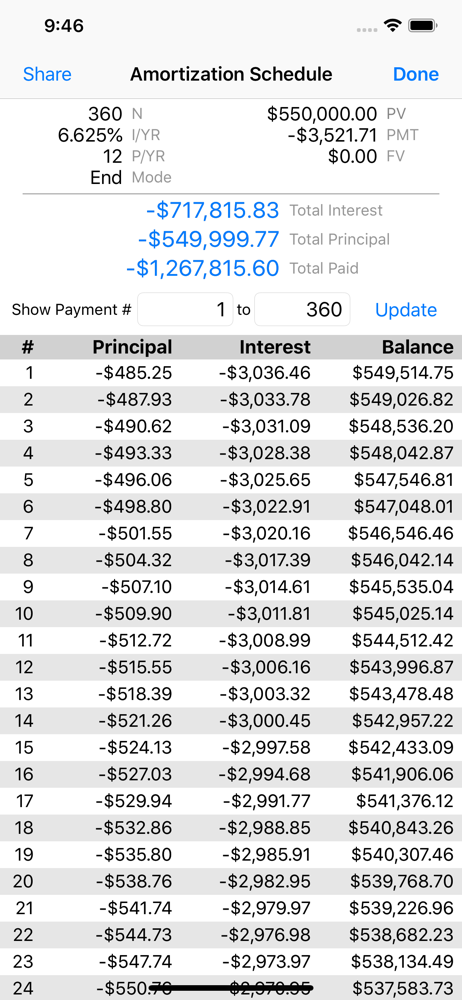
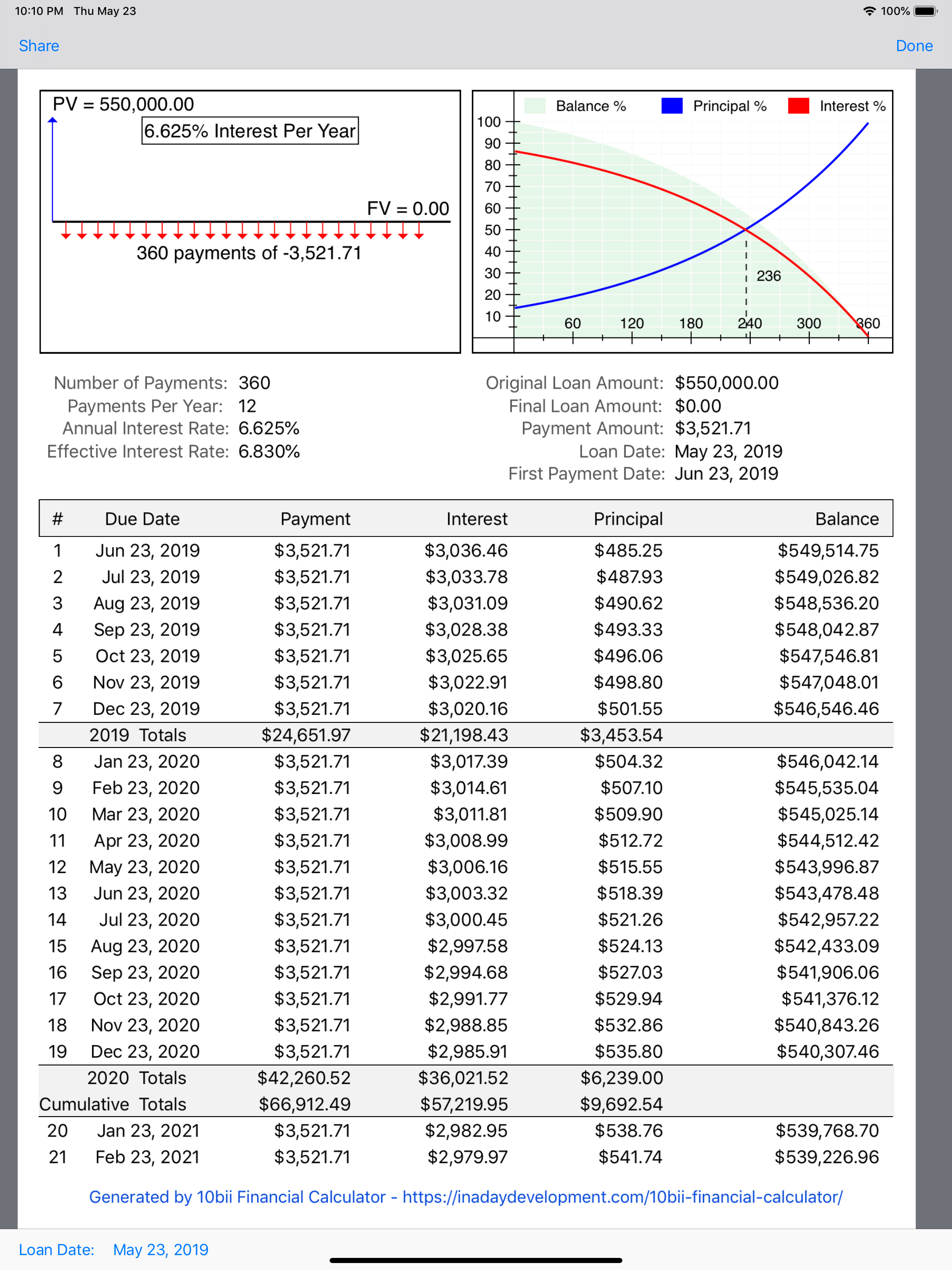
I’ve used this app for quite a while, and I found it to be full of features that you would expect, as well as features you would not expect, such as full amortization tables. This app is very well done.
Don’t waste time on all the others, this is the one. I’ve spent over 30 years working the HP 10 and this is even better and leaves all the other app versions in the dust.
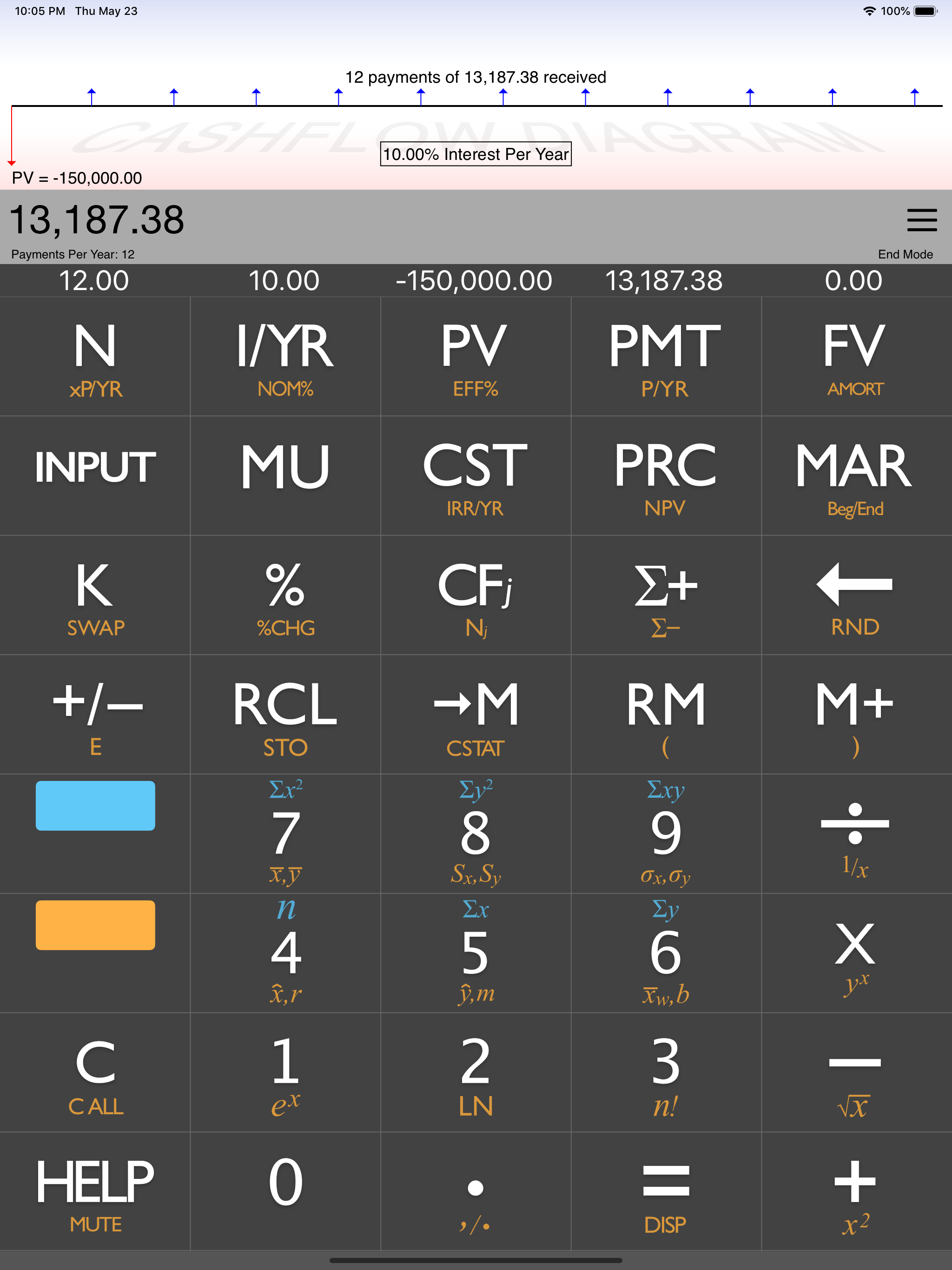
This calculator is great. I have compared it to my actual HP 10bii and the answers are the same. I noticed some of the other reviewers mentioned that their answers were off by a couple hundred or thousand dollars. I had this problem when I first downloaded and thought the calculator was trash. But then I noticed that the Payments Per Year (which is visible right under the answer display) was set to 12. I believe the HP 10bii is factory set to 1 Per Year. You can change this setting by selecting the three lines in the upper right-hand corner, clicking Settings, and just typing in 1 for Payments/Year. After I changed this setting, my answers matched exactly. Additionally, make sure your display is set to more than one zero for intermediate calculations. Your answers will be off by a couple cents or dollars if you are rounding up intermediate calculations while working out a problem. You can do this by clicking a number (for example, select the number 4 for four zeros to display) then click the Orange button and then the Equal sign and it’ll display your selected number of zeros. Overall great calculator and the layout is perfect!
Look no further, you have found the best Financial Calculator app available. In-App Purchase: 10bii+ Features (Bonds, Breakeven, Depreciation, Trig,...
| Name | Price | Type |
|---|---|---|
| Easy Mode Canadian Mortgage Payment | $0.99 | One-time |
| Easy Mode Saving with growing deposits? | $0.99 | One-time |
| Easy Mode Adjust for Future Inflation | $0.99 | One-time |
| Easy Mode What are growing payments worth? | $0.99 | One-time |
| Easy Mode Adjust for Past USA Inflation | $0.99 | One-time |
| Easy Mode What is my balloon? | $0.99 | One-time |
| Easy Mode What will it REALLY cost? | $0.99 | One-time |
| 10bii+ Features | $3.99 | One-time |