
Check the acquisition promise
Read the store headline, screenshots and description. What problem is the app promising to solve?
Study the storefront ↗
AsterKit · iOS
Explore the ad evidence, study the storefront, and build your next acquisition hypothesis.
01 / Creative research
Read the store headline, screenshots and description. What problem is the app promising to solve?
Study the storefront ↗Explore apps with direct store-link matches. Compare their hooks and formats without assuming the same approach works here.
Browse observed advertisers ↗Store rankings and revenue estimates describe market context. They do not establish ad spend, conversions or ROAS.
Review the market context ↗02 / Storefront & product
Study the product story and store experience behind the acquisition funnel.



03 / Market context
Keep revenue, downloads and store rankings separate from advertising performance.
For a 100% free app, this works very well. I made a frontal scan of my truck for designing a custom bumper, and the output was dimensionally accurate. I especially like that all processing is done on-device. Great job. All I could ask for is a larger photo-taking button and quicker photo capture time, since the automatic capture doesn’t work well.
Considering what this app can do, the cost (free), the lack of advertising in the app , and what you get (the result), I am truly impressed. Yes, you need a mac and for some people that is going to be a deal breaker. Also the process is more involved vs some of the other apps, (no live tracking, no indicator of were you need to scan etc.) However the quality of the final model is excellent and far exceeds the beat models you can produce with more other apps for 3d scanning... Especially if you have used good lighting, captured the object well (from all angles), and have a little experience with how to do this. (A tutorial is available if you don’t have the experience) This app is more on par with extremely expensive software and delivers results good enough for me to actually be able to used in real projects and that is something I cannot say for any other 3d scanner app. (Most of them are more toys than tools and deliver models that just aren’t quite good enough for serious use or require absolutely perfect conditions for decent output ). This app is more tool than toy and delivered high quality output with mere good (not perfect) conditions. (I didn’t need special equipment to achieve excellent results).
The app seems to use the 77mm lens (as far as an iPhone 13 pro is concerned) and there does not seem to be any stabilization (optical, digital) is engaged. As a result, many of the pictures are blurred unless you are particularly steady, which gets really tiresome in just a few photos. This is either an oversight or just a limitation set by Apple. Also, considering it’s a relatively narrow lens, you have to be quite far away from the target, which is another pitfall. Then, when on the “sharing the pictures” process — where you run the app on the Mac — you are told that now you need to share the asset to your Mac, but the app does not seem to provide any interface for so doing. So, in reality, you just need to (1) click the AirPlay button to then share the file (in a ZIP) to your Mac, then (2) locate this folder on your Mac (from within the app and only then click (3) continue. It’s is sad as pictures taken with a superior, 26mm lens with a sensor-based stabilization, and with the depth date embedded would generate better quality pictures. Alternatively, I wish you could take pictures from the Apple-provided native app which then can be selected directly on the Mac (after sync) inside the app. The most important for me was the fact that all of my 3d models resulted in a considerably worse quality wen compared to other photogrammetry applications (on App Store and running Apple’s designed photogrammetry framework) that rely on the pictures only, that is, without any depth data embedded. Hence, 2 stars only. The models generated from this app are rather unusable
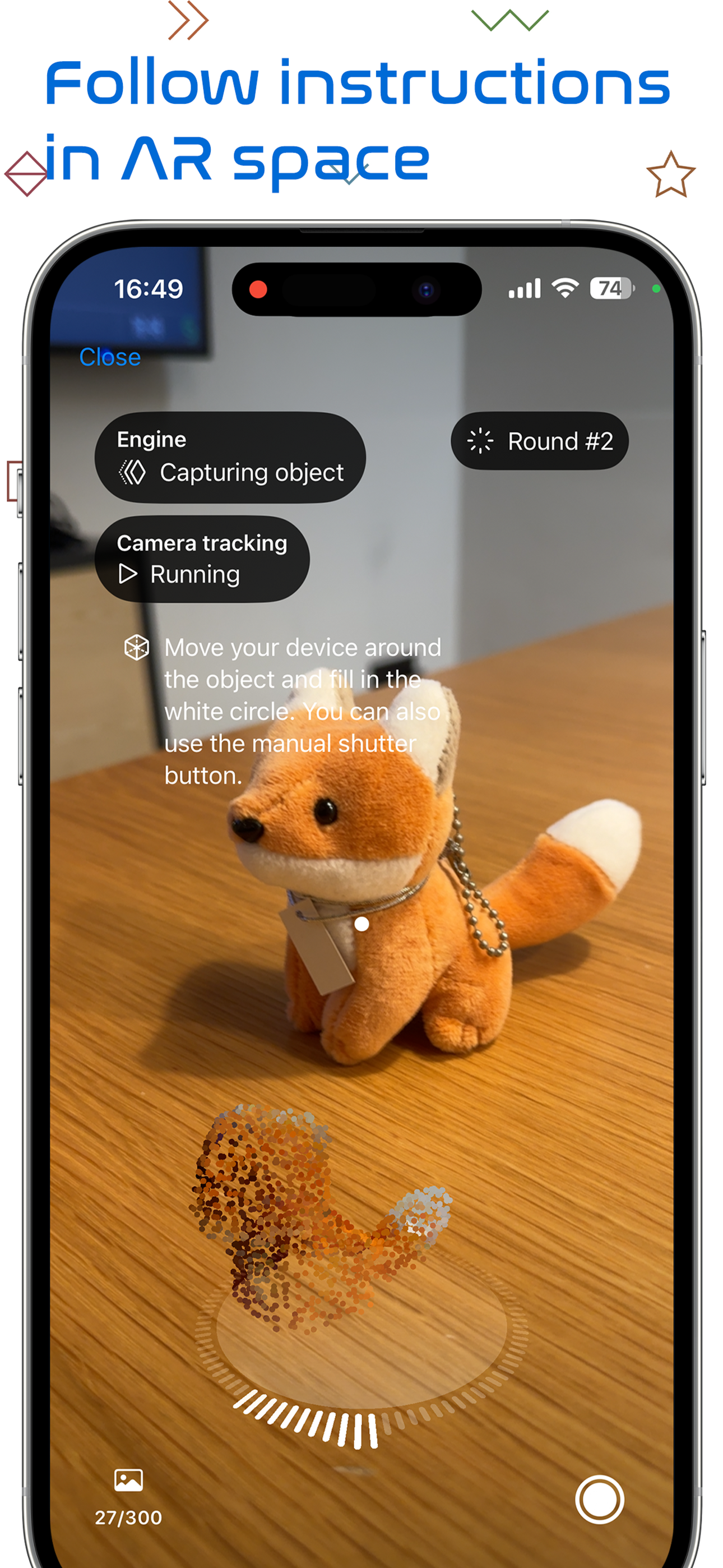
Turn your iPhone or iPad into a powerful 3D scanner. Point at an object, follow the AR guidance, and get a textured 3D model — built entirely on your...
| Name | Price | Type |
|---|---|---|
| Premium Feature | $5.99 | One-time |


