Check the acquisition promise
Read the store headline, screenshots and description. What problem is the app promising to solve?
Study the storefront ↗
Twiceme Technology AB · iOS
Explore the ad evidence, study the storefront, and build your next acquisition hypothesis.
01 / Creative research
Read the store headline, screenshots and description. What problem is the app promising to solve?
Study the storefront ↗Explore apps with direct store-link matches. Compare their hooks and formats without assuming the same approach works here.
Browse observed advertisers ↗Store rankings and revenue estimates describe market context. They do not establish ad spend, conversions or ROAS.
Review the market context ↗02 / Storefront & product
Study the product story and store experience behind the acquisition funnel.


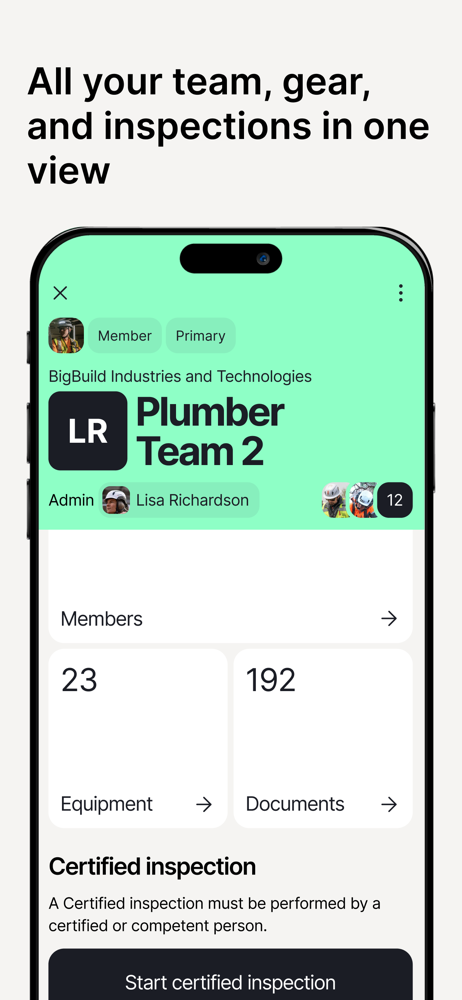

03 / Market context
Keep revenue, downloads and store rankings separate from advertising performance.
I just download the App. I am a manager, over seeing field operations on projects in commercial construction so I was looking for a simple way to help myself and those whom I work with in the event of an emergency. Being able to have a safe, accessible place for a first responder to get your media history, insurance, and loved ones contact information is priceless! I always use PPE when I am on the job or on my mountain bike, so having this as part of my equipment kit is a no brainer! -J
Most people would think that using the nfc tag in a mountain bike helmet would be as simple as using your phone to pay at the grocery store. If you are using this app, you’d be wrong. You have to place you phone in the EXACT right spot in order for it to read the nfc tag. I was able to get my medical info uploaded, but good luck if anyone tries to read the tag to access it. This combination of helmet and app would actually probably be a safe spot to store your SSN, credit card info, or anything else you don’t want other people to ever find. (Sarcasm, for those that missed it).I’m not sure if it is the helmet manufacturers fault or the apps fault, but the experience is pathetic none the less.
There’s a specific touch point on your phone where you need to be exactly on it in order to upload your iD. The little twICEme pamphlet/tag your equipment comes with, has a diagram of where the touch point is exactly. I left a 1 star review initially because I could not for the life of me upload my ID. Until I re-examined the that tag, saw the diagram and placed my iPhone directly onto that point (on the iPhone right next to the camera) - as before I was just blindly placing my phone on the equipment like a grocery store card reader and it wasn’t working - even moving it around didn’t work. It has to be directly on that touch point I do believe the developers can make this more clear in the app, I nearly threw out that tag with the diagram on it, gave up and left a bad review like everyone else here.
By empowering people to help one another when it matters most, we set the digital standard for accessible, reliable and human-centered safety. We inte...