
Check the acquisition promise
Read the store headline, screenshots and description. What problem is the app promising to solve?
Study the storefront ↗
Andriy Tkachuk · iOS
Explore the ad evidence, study the storefront, and build your next acquisition hypothesis.
01 / Creative research
Read the store headline, screenshots and description. What problem is the app promising to solve?
Study the storefront ↗Explore apps with direct store-link matches. Compare their hooks and formats without assuming the same approach works here.
Browse observed advertisers ↗Store rankings and revenue estimates describe market context. They do not establish ad spend, conversions or ROAS.
Review the market context ↗02 / Storefront & product
Study the product story and store experience behind the acquisition funnel.




03 / Market context
Keep revenue, downloads and store rankings separate from advertising performance.
If you are reading this review and have been binge-searching the App Store or wherever to find the perfect one (like I used to do), then your wait is over. Download this app immediately and give it an honest attempt. I promise you, this one is different. In this user’s opinion, this is the pinnacle of the GTD or personal task management platform. I am relieved to finally stop the incessant search for a platform that allows complete control of data/inputs. Although the iOS app is great and fully functional on its own, I highly recommend pairing it with the desktop client. Using both (and the cloud sync service), MLO checked all the boxes I was looking for in a personal task manager (cross platform b/w Windows and iOS being one). It’s possible that one would think that there’s a steep learning curve in setting yourself up in the software, but I feel like anyone who gets to that point might also sense the boundless potential before them. PS - The MLO google group is awesome! The users post some really great templates and other little tweaks and add-on content. Also a wealth of troubleshooting advice of course.
MLO has truly evolved! Having returned as a beta tester, and having made a New Year's resolution to more fully use MLO for my personal and professional lives, I set off to explore the present MLO feature set. I was favorably stunned. I last explored MLO down to the nuts and bolts a long time ago. MLO has truly evolved. My first "beta" impression was the difference between "then" and "now." For example, "reminders" and "review" gives MLO the ability to talk to you. A good to do list is relatively worthless if you have to remember to open it... My purpose for seeking out MLO years ago was to find a thought outliner, a project tracker, a comprehensive todo list, and a life manager, which was easy, comfortable, and not burdensome to use. I initially and always have found MLO to be just that. MLO always seemed to be underappreciated for how it can be used. I am/have been a lawyer, mediator, court administrator, dispute resolution program designer, educator, trainer, and author. Each role has very different angles and dimensions. I have been fortunate to have viewed my profession from so many perspectives. My life, like everyone's, has been also multi-dimensional. The point is that MLO has universal application, even if the ways vary by the field or experience. FYI, as to use as an thought outliner, it would be nice to have a way to number and sub-number items... Anyway, I have been silent on finding bugs since coming back. What I have found is an appreciation for have MLO has evolved. This best metaphor is like raising your own children. You see them every day - the incremental changes are less apparent to you than to a visiting relative who has not seen the children for a good while.
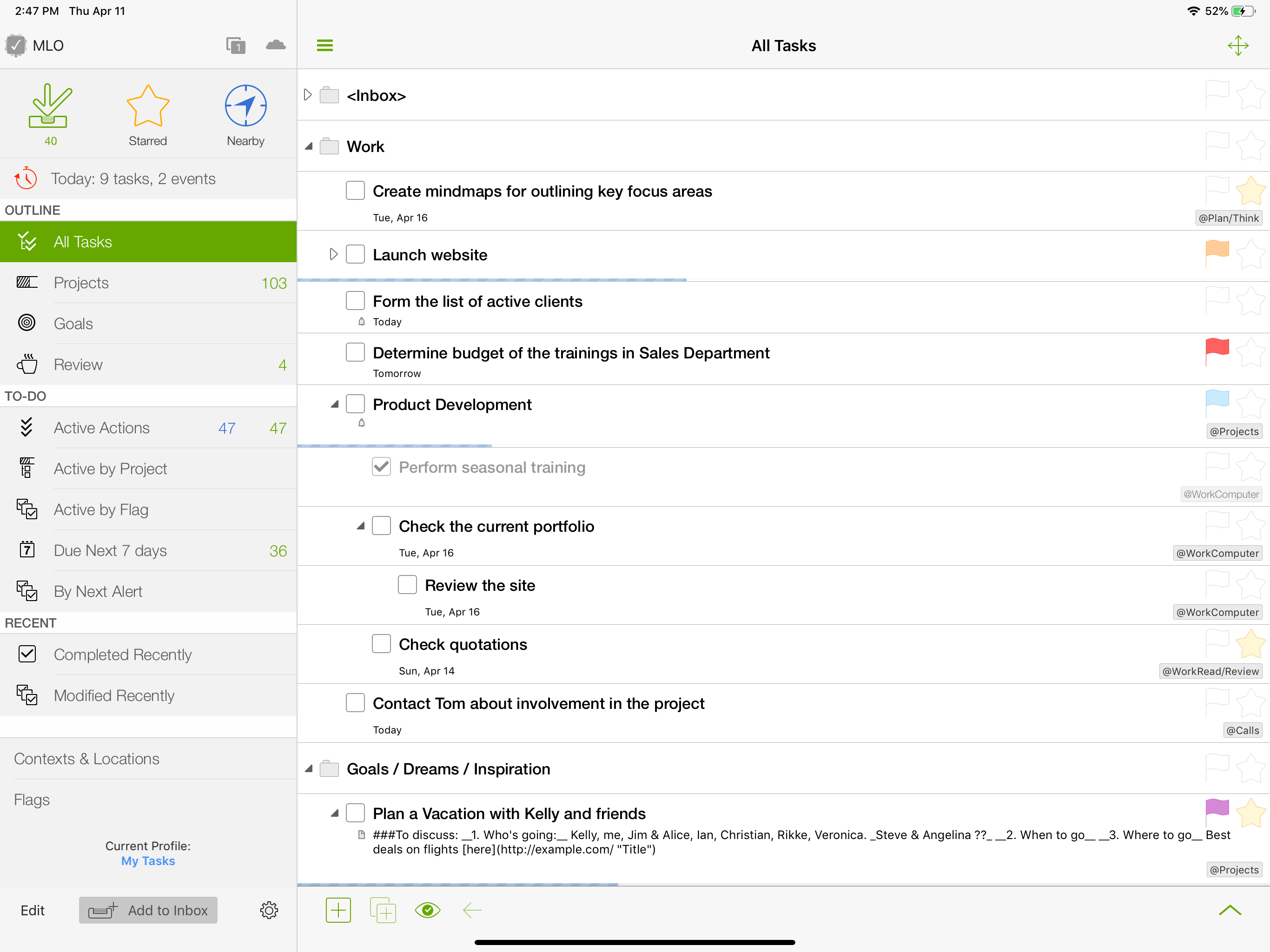
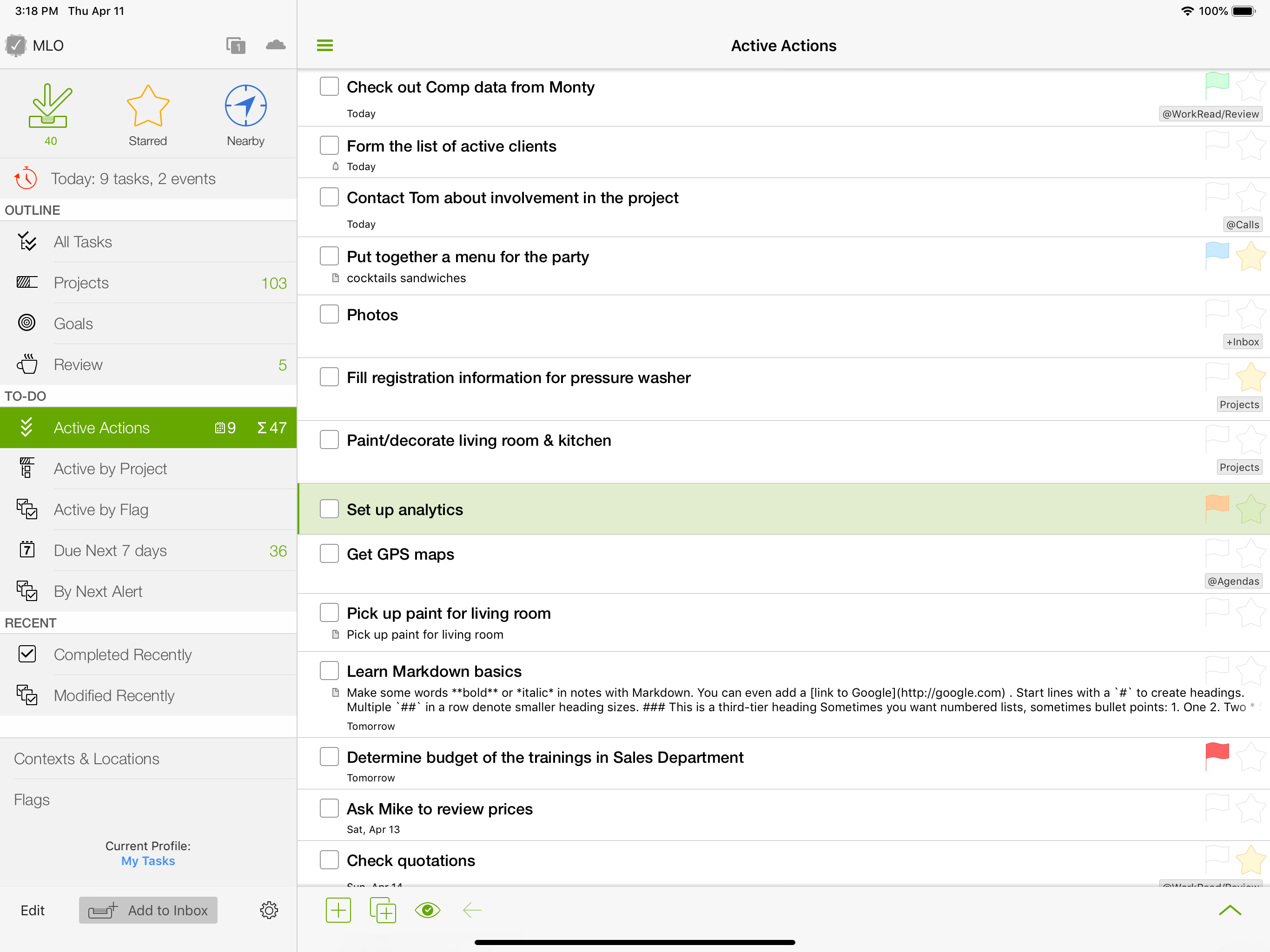
This is really a review of the Windows desktop client + iOS version in tandem. For years, I have gone back and forth with MLO, Omnifocus, Things, Todoist, and others. Recently I tried Things 3 and while gorgeous, I miss the power user features. Omnifocus again never seems to stick with me for very long, something about the UI always grinds me to a hault. So now with Parallels 13 & Windows 10, MLO runs in a VM almost flawlessly, though I still wish for a native MLO Mac app. That all being said, nothing holds a candle to the feature set in MLO if you are a power user. Sequential tasks and even dependencies across the entire Outline, Project status/management, Workspaces, views, filters, flags, stars, by far the most robust implementation of recurring tasks, unlimited Outline depth, auto prioritization of the flat todo lists via optional computed score of relative dates, Importance, Urgency etc. Also, the most configurable custom views, with unlimited depth for boolean logic and custom grouping and sorting. Great location based reminders on mobile, full outline support on mobile, on and on. I feel like I’m back, permenantly, if not for a long time with MLO, and am looking forward to Desktop version 5 with a new UI, markdown in Notes, and Google Calendar sync and corresponding mobile updates.
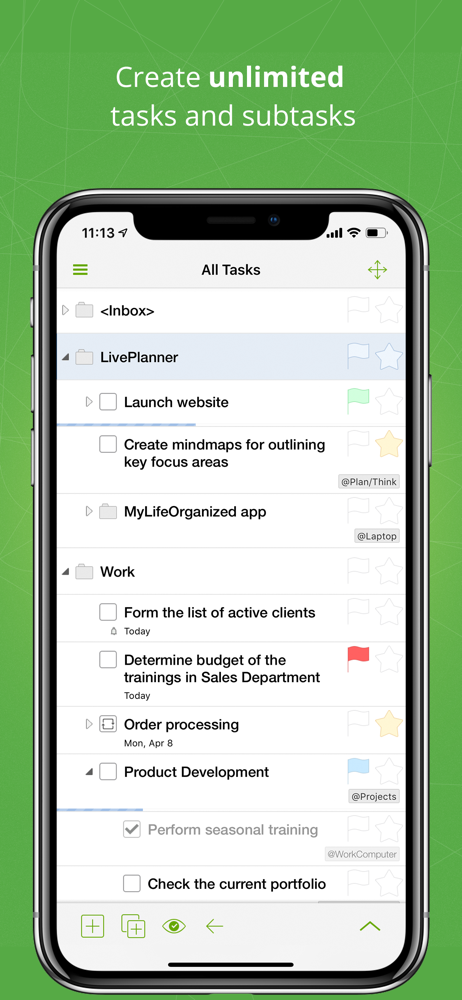
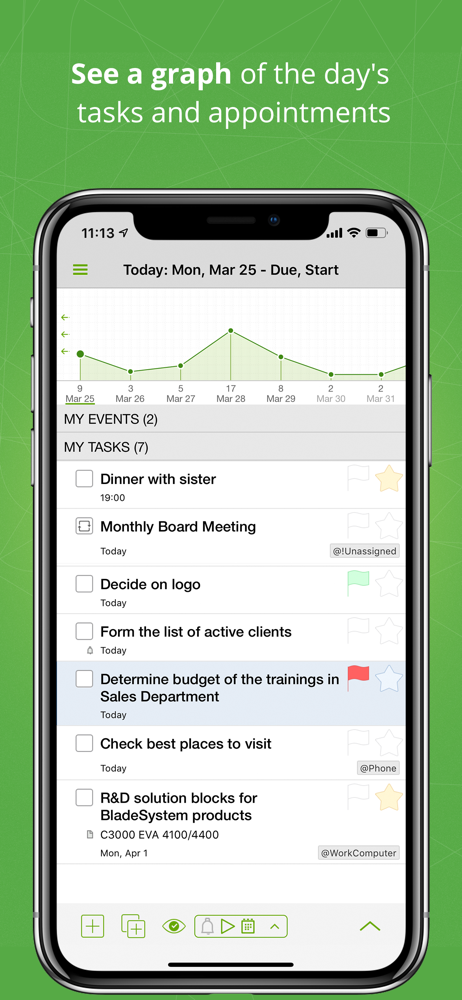
MyLifeOrganized (MLO) is the most flexible and powerful task management software for getting your to-dos finally done. Why MLO is what you need “Th...
| Name | Price | Type |
|---|---|---|
| Pro v2 (HD free upgrade) | $0.00 | One-time |
| Pro v3 (v2 HD upgrade) | $9.99 | One-time |
| Pro v3 (v2 upgrade) | $19.99 | One-time |
| MLO v3 Pro | $29.99 | One-time |


