App Profile: MathBoard

Android / Games / Puzzles
MathBoard
Installs:
Rating:
4.44
Total Reviews:
429
Top Countries:
US, GB, AU
< $5k
/mo
< 5k
/mo
Reviews: What People Think About MathBoard
Gauphy
Rating: 4/5
My favorite is audio mode. You can hear the math question and then say your answer into your iPhone. Great if you want to hear and talk your answers while you’re driving. The iPad version is not as effective because you always have to repress the microphone icon after each question to activate it. -James
Rubber Duckies
Rating: 5/5
This is the best game in the world. I just like to play with my new game. I am so happy to have this game to play on. The game was fun and I am so happy that I have the game. I am so happy that I have the best game in the world. I am so happy that I have the best game in my life and I am so happy that I have this game for me to play. The best game in the town I play this game in the past two weeks, but myself isn’t that happy. I am so happy that I have the best game in the world. I’ll be happy to send a email to you about this game if you don’t have my email that is ok . I have a question for you Do you have a brother or sister. I just wanted to let you know I have a happy new day. The best game in the world I would like you to play this game if you can. I hope you have a good time on this game. Keep this email and I have a good time on this game if your Mom and Dad won’t let you read it tell them your best friend sent the email. The best game in the world is so good I won’t you to play it. The best game in the world is good.
jake_the_snake
Rating: 3/5
The fact you can’t type in the ranges but have to hold down a button like an old fashioned digital alarm clock to set the number range, is really strange. Let me type in 423 if that’s what I want to set instead of having to scroll there. Otherwise it’s a great app for kids to practice maths. There are no silly games or animations to distract them; their whole attention is on solving the math problem. It’s wonderfully unmontesori (sp?). Improve the settings interface and you have my unqualified 5 start endorsement.
About MathBoard
MathBoard® is a powerful and highly configurable math learning app designed for children of all ages. From simple addition and subtraction in early grades to more advanced multiplication, division, and even algebraic equations, MathBoard adapts to meet each student’s level and pace.

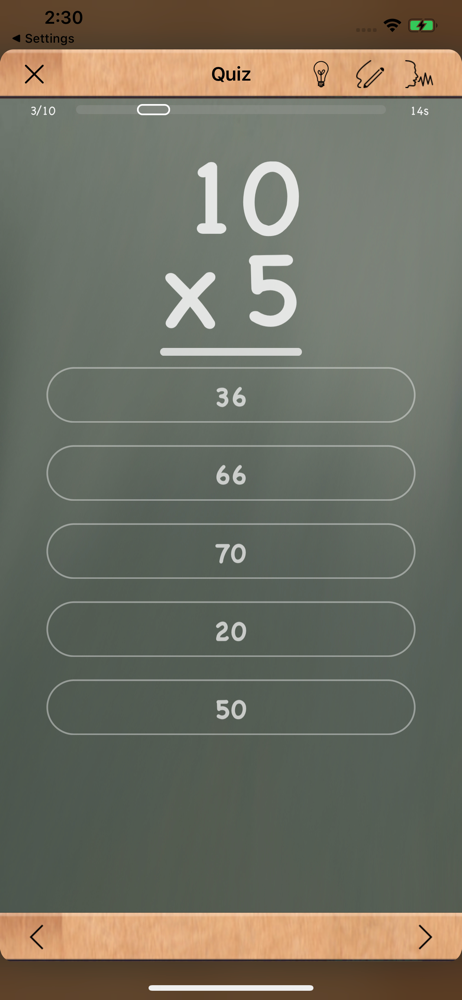
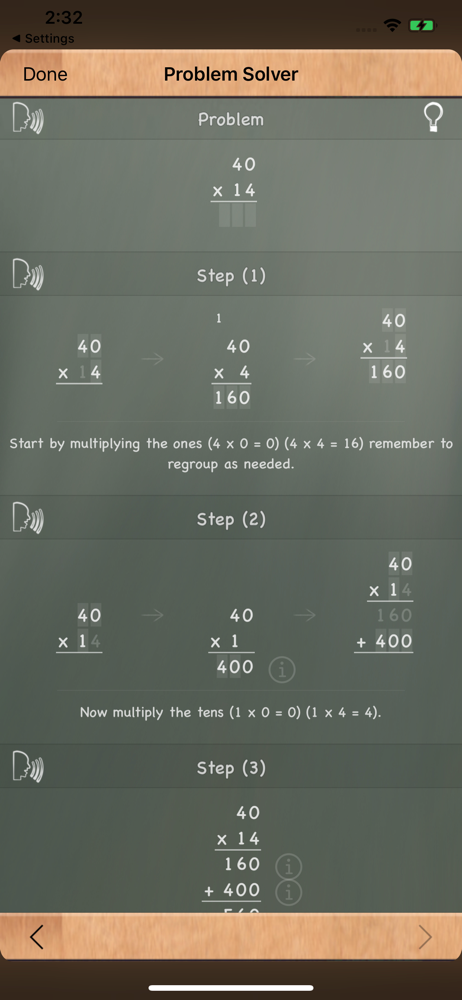
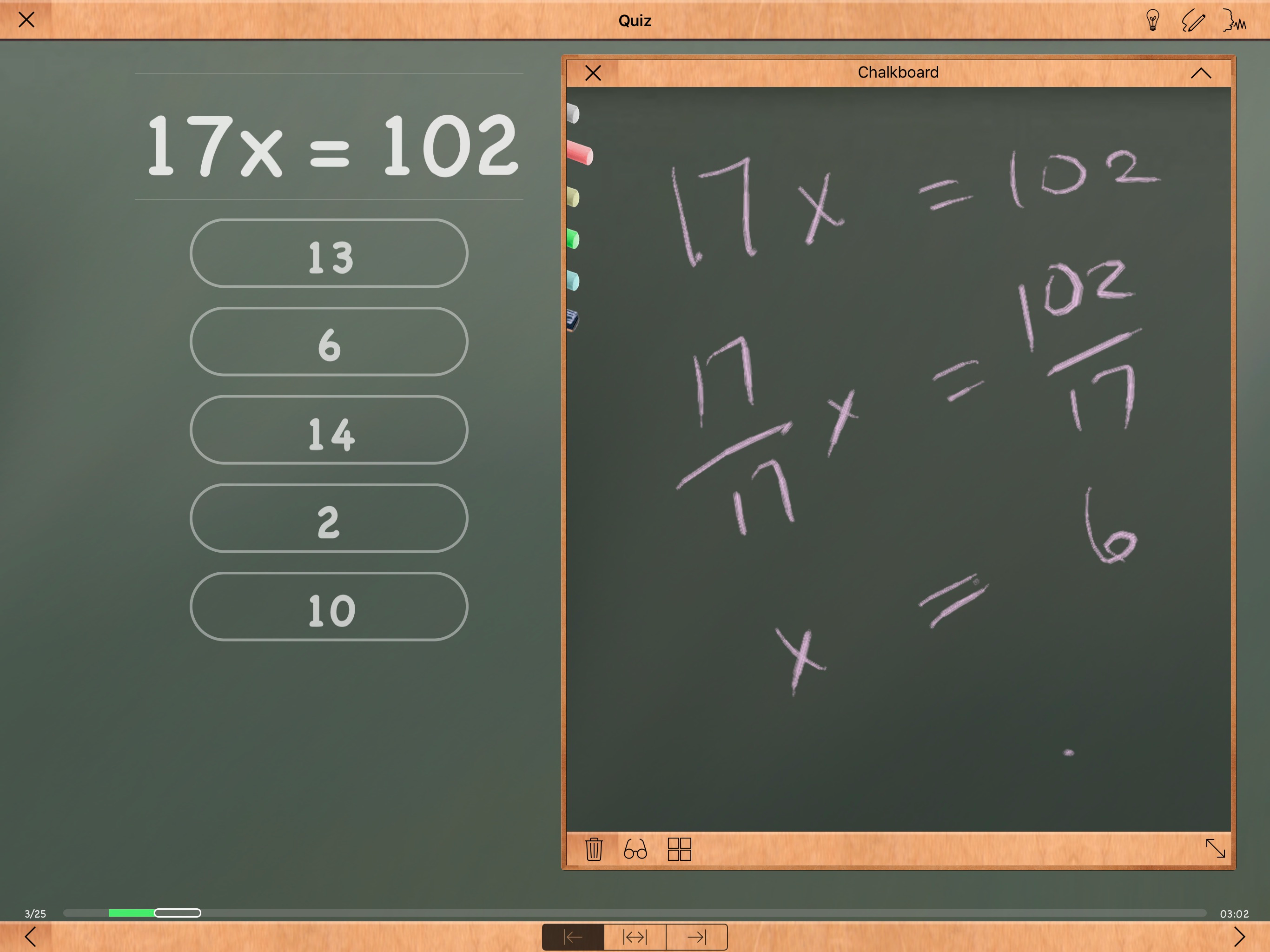
More than just drills, MathBoard encourages students to truly learn how to solve problems—not just guess the answers. With multiple question styles (including multiple choice and fill-in-the-blank), a built-in scratchboard for working out problems, and an interactive Problem Solver, MathBoard guides students step by step through the logic behind each answer.

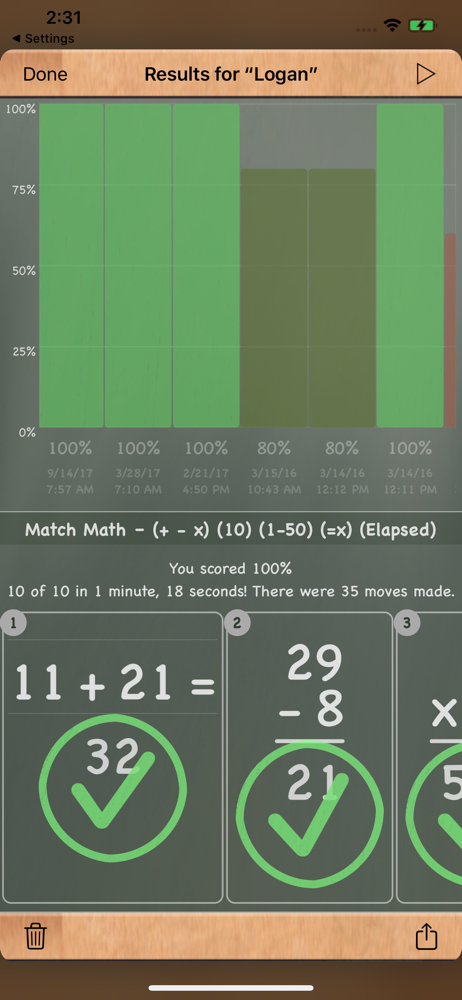
The app includes a variety of math activities such as Find the Sign, Equality/Inequality, and Match Math, making learning both engaging and effective. Difficulty levels automatically adjust based on your settings, ensuring that practice stays aligned with the student’s progress.

What Teachers Are Saying

“This is the best integer practice app or program I have found in 34 years of teaching math.”
— Tim Seiber, Math Teacher

“MathBoard has charm without losing track of its fundamental purpose.”
— MacWorld (4 out of 5 mice)

“A stunning app for teaching math. The number of customization options available makes this a brilliant app for making math fun.”
— androapple

Key Features
• Step-by-step Problem Solver for addition, subtraction, multiplication, and division
• Random equation generation for basic operations, squares, cubes, and square roots
• Fully customizable number ranges and equation formats (e.g. 6 + x = 12)
• Intelligent wrong-answer generation to discourage guessing
• Built-in scratchboard for working through problems by hand
• Activities and quizzes with countdown or elapsed time options
• Multiple student profiles with progress tracking and sharing
• Quick reference tables for counting, addition, subtraction, and multiplication
• Full support for iCloud Sync
• Designed for the latest Apple tech:
• Apple Pencil
• Apple Magic Keyboard
• Text-to-Speech and Speech Input
• Windowed multitasking in iPadOS 26
File size: 11272192
Launched countries: USAUCACNFRDEGBITJPRUARATBEBGCLCOHRCZDKDOECEGSVFIGRGTHKHUINIDIEILKZKEKWLBLTLUMOMGMYMXNLNZNOPKPAPEPHPLPTROSASGSKSIESLKSECHTWTHTNTRAEUYVEVNEELVNIPYMTJOMLSNUG
Minimum OS version: 13.0
Release Date: 1275067239000
Published by PalaSoftware Inc.
Website url: http://www.palasoftware.com
Publisher country: US
Copyright © 2025. Made with ♥ in London by AdScan.ai